Waiting for the E72…

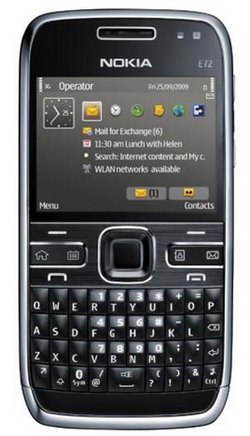
nokia-e72I am waiting for the Nokia E72 (phone) since it was first mentioned about a year ago (!) and then officially announced in June (July?) this year. It’s a successor to the very popular Nokia E71 which I had reviewed back then and features a nifty 5mpx cmos camera and a keyboard similar to the one currently found on the Nokia E63.

One of the best ways for staying up-to-date on product launches is Twitter Search. I’m scanning Twitter for E72 related news for quite some time now and I can tell you that many ppl are desperately waiting for the E72 to hit the market. I heard it will be October 6th or 12th…

The Nokia E63 itself is a very nice phone – I actually prefer its keyboard over to the initial E71 and so I am really glad that the E72 will not only have such a similar keyboard, but also come with a camera that will be able to compete with the really decent 5mpx cam on my Nokia N95.

My N95 is 27 months old now and – compared to other phones I’ve owned in the past – a bit worn out. The other day I also dropped it on the floor and it fortunately still does the job, only a few scratches on the (exchangable) cover. Back then I urgently wanted to get my hands on the N95, only to quickly realize that it has a “prototype” design and comes with other flaws I’ve mentioned on this blog in the past. Another problem with buying brandnew phones is that a stable firmware (~ the operating system on the phone) will probably only be released after a year. This isn’t a Nokia-only problem though, others like Apple have experienced similar issues.

The interesting part on this next purchase will be the question if I should get it like my N95 – with a 24month contract and a subsidized phone – or directly buy it without a contract and paying the full price.

The pre-order price for the phone currently is around EUR 360 and I am expecting this to change over the next coming weeks. Also, I think the current trend is that less phones are being subsidized these days and that mobile network operators and their resellers started leasing out phones, so you end up paying a hefty monthly fee + ~ EUR 15 for the phone. You’ll still find many customers asking for “a free phone” from their operator every two years (the way it has been in the past), but it is actually cheaper to get a prepaid card & buy the phone (unless of course you’re on a flat fee contract and using the phone a lot). I don’t call that much, but often check my mail via the phone, so “cheap internet access” is my main issue. I also like the browser on the iPhone, but then: I guess I am too stupid for Apple’s Monoculture and Operating System. The iPhone may have a great browser (the greatest?), but a non-removable battery, a lousy camera and no taskmanager (or is there?) are a no-go for me. Plus it is still too expensive in Europe.

I really can’t wait to get my hands on my own Nokia E72 because it will eventually enable me to return to the monoblock design. The 2-way sliders on the N95 are *interesting* but absolutely useless and it’s about time for me to upgrade from a T9 keypad to a full QWERTY (QWERTZ) keyboard.

The 2 best reviews so far are the one by Antoine of AllAboutSymbian AllAboutNokia (part 1,2,3,4,5 and his verdict) and Eldar’s piece on Mobile Review. These two reviews are also reason enough why I just want to own the phone and won’t do a review on it once it’s here.. :-)

OH, and it HAS A FLASHLIGHT!

E+, oder wieso ich manchmal keinen Netzempfang habe…

blaujkeDieser Tage habe ich mich gefragt, ob es noch einen besseren Anbieter für meine Mobilfunkbedürfnisse als Blau.de gibt. 9 cent in alle Netze, 9 cent für SMS, 0,24 € / MB versurftes Datenvolumen und dazu noch eine bequeme, automatische Aufladung, so dass der ursprüngliche Nachteil von Prepaid entfällt.

Alleine: das E+ Netz ist so dermaßen beschissen, dass ich mit meinem Telefon manchmal keinen Empfang habe. Ist das Handy (ein Nokia N95, letzte FW) im Dualmodus eingestellt (GSM oder UMTS, je nach Verfügbarkeit), bucht es sich als UMTS-Gerät ein , im Display wird 3G und ein deutlicher Antennenempfang angezeigt – aber Telefonate kommen einfach nicht durch. SMS kommen dann entsprechend auch mit Verzögerung an. Abhilfe schafft hier nur die Rückstellung auf GSM-only (und das ist auch nicht 100% verlässlich).

Ich habe auch noch eine Fonic SIM-Karte, die ich in Verbindung mit der Tagesflatrate für 2,50€/d und einem 3G Modem (im Netbook und als PCMICA Version fürs Notebook) verwende. Fonic bietet fast gleiche Konditionen wie Blau.de, allerdings im O2-Netz und ohne Kreditkarten-basierter automatischer Aufladung.

Das eigentliche Problem scheint also im Netz zu liegen – oder aber Prepaid-Kunden haben eine andere, geringere Priorität im Netz (kann das sein?). Beide Netze (E+ & O2) sind nicht so rosig, und das obwohl wir hier mitten in FFM in fast direkter Sichtweite zur nächsten Basisstation wohnen.

Im März 2007 schrieb ich schon mal über meine Erfahrungen mit Vodafone (DE), deren Arroganz bis heute anzuhalten scheint. Vodafone hat eine (vergleichsweise) super Netzabdeckung bzw. -verfügbarkeit, vermag mit dem Rest aber nicht zu überzeugen.

Ab dem 3. Quartal kommt das Nokia E72 auf den Markt, welches eine gute Mischung aus den beiden favorisierten Handytypen Nokia N95 und Nokia E71 darstellt (QWERTZ-Tastatur, Monoblock, 5mpx Kamera). Selbstverständlich liegt da die Überlegung nahe, dieses Gerät im Herbst über einen subventionierten Handyvertrag anzuschaffen und dabei einen modernen 24-Monatsvertrag abzuschließen, der preislich mit den Prepaidtarifen konkurrieren kannn.

Bisweilen verwende ich hauptsächlich die günstigen Internettarife der Prepaidanbieter sowie deren 9cent Einheitstarif(e). Bei T-Mobile muss man sogar teilweise noch eine Tagesnutzungsgebühr iHv 0,19 € bezahlen, dass man überhaupt surfen darf. Solche hohen Kosten sind natürlich auch ein Grund dafür, wieso mobile activism in Deutschland immer noch nicht richtig ernstgenommen wird. DSL ist vorherrschend und mobile Internet”flatrates” zumeist bis 5GB Inklusivvolumen gedeckelt (oder aber ab 1, 5 oder 10 GB in der Geschwindigkeit drastisch reduziert). Im E+ Netz (= Blau.de, Simyo, AldiTalk, etc.) ist sogar nur eine UMTS Geschwindigkeit bis 384kb/s möglich, was mich aber nicht wirklich stört.

Manche Entwicklungsländer sind hier bedeutend fortschrittlicher und günstiger! Und ja, dies hängt sicherlich von vielen Kostenfaktoren ab und lässt sich nicht 1:1 von Land zu Land übertragen. Fakt ist aber unbestreitbar, dass die Mobilfunknutzer in Deutschland unverhältnismäßig mehr zahlen als eigentlich nötig. Bestes Beispiel neben dem überteuerten mobilen Internetzugang sind die immer noch hohen SMS-Gebühren. Lese ich dann ein Angebot (z.B. T-Mobile iPhone Tarife), in dem mit 40 InklusivSMS geworben wird, kann ich nur traurig lächeln. Sind subventionierte Handys ein Grund für diese Mischkalkulation? Oder sind die deutschen Verbraucher einfach nur zu träge für eine Revolution?

Zurück zu meinem Empfangsproblem: gibt es einen Anbieter, der preislich mit den o.g. Angebot konkurrieren kann und dabei eine gute Netzverfügbarkeit anbietet? Welche Angebote / Verträge habt Ihr und könnt Ihr etwas empfehlen? Vielen Dank!

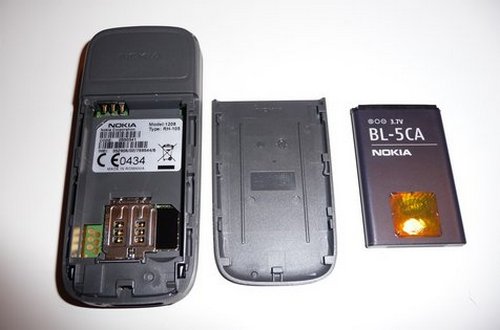
BL-5C

Batteries for cell phones are a commodity and thus often quite cheap. The interesting part is that fake batteries will often cost the same as original ones and some dealers will swear by the fake Chinese NokLa phone in their hands that they are of course only selling “Original Nokia” products.

Original. Yeah, right.

bl5c

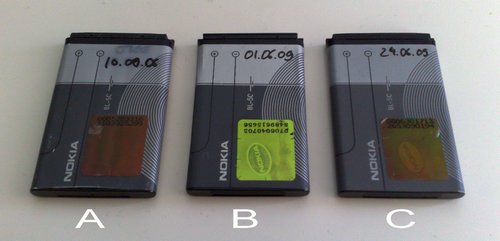
What you see here:

A) original battery that came shipped with my Nokia 6230i

B) fake “original” battery from eBay @ 6,39 EUR

C) most-likely “original” battery from eBay @ 4,99 EUR

Battery B really pissed us off as it was drained within a few hours (!). The hologram is just very simple yet it looks like an original battery (except for the hologram and the deeper golden contacts). There are no hints on Nokia’s website other than the hologram (they used to have a form to double-check that number on the holo but imho even those numbers were faked).

nokiacover

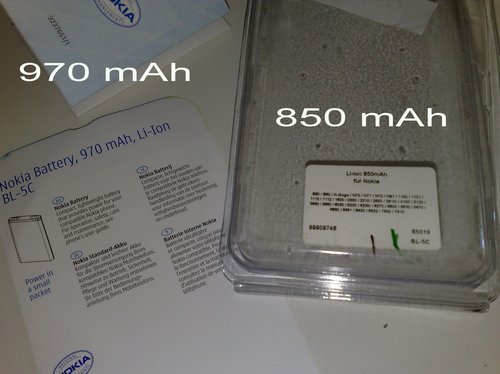
Battery B was bulk-ware, meaning that it came shipped in a plastic bag while battery C was in an original Nokia packaging with a proper invoice. A bit irritating that there are two different mAh readings – a sticker that says 850 mAh on the front and a printed 970 mAh on the back. On Nokia’s website it says 900 mAh for the BL-5C, but hey – Nokia’s website has never been that accurate on phone details. Nokia also published a product advisory on the BL-5C type some time ago – a successful battery type has been produced over 300 million times and is built by five different manufacturers.

There are many, many dealers on eBay that sell BL-5C batteries for Nokia phones and I’d say that most of them are just fake ones. On the other hand, candidate number C was the cheapest, came in an original packaging and seems to perform like candidate A. Simbaya!

eBay as an online marketplace of course isn’t the best platform to purchase such electronics, but it is the one with the most competitive, or let’s say: comparable prices. Any other online-shop or even physical store will be more expensive (due to shipping rates & other general expenses). And it ain’t about the costs alone – I’d be willing to cough up more on a battery (but not too much!) if the dealer can assure that it is indeed original. I know this is a huge issue with product piracy and so on but – other than with cars where a non-original spare part may just as well be performing as required – most fake batteries also don’t last as long.? There may be exeptions to this general rule, but from my experience with this and other phones, most copies aren’t good enough, not even close. Probably also because they are commodities and their Chinese manufacturers just don’t give a damn…

Twitter is better with Gravity

If you own a recent Nokia phone with the Symbian S60 operating system (S60v3, S60v5) and are using the microblogging services Twitter or Laconia, you may be interested in using a new Twitter client for the phone:

Gravity

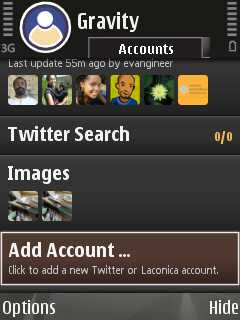
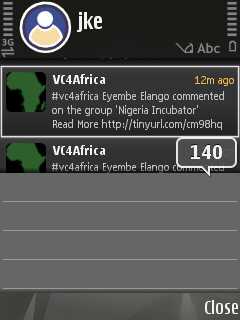
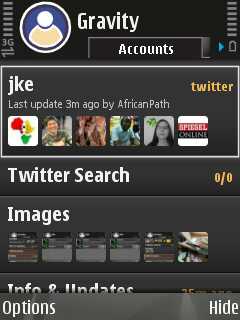
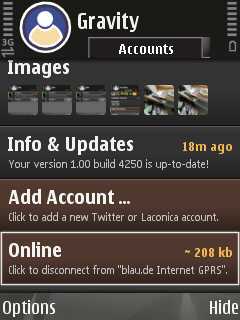
Scr000001Scr000002

Gravity v1.00 is the first fully-featured and native Twitter client for the S60 platform. It supports multiple accounts, Twitter Search, Laconica, TwitPic and wraps everything into a gorgeous looking interface.

  • Compatible with Twitter and Laconica
  • All functions available on your S60 phone: tweet, reply, DM, follow & unfollow, create favourites, search, auto-update and many more …
  • Tabbed view of your Timeline, Replies, Messages, Friends, …
  • Setup and use as many accounts as you want at the same time
  • Twitter-Search section with multiple search tabs and Twitter Trends
  • Post pictures via TwitPic
  • Open URLs from any Tweet
  • Kinetic scrolling on S60v5 ( Nokia 5800 and Nokia N97 )
  • Theme support on S60v3 ( fixed dark and bright theme )
    (source)

The only downside to this software is that it may create too much traffic whereas the alternative – Twibble (which I’d also used since its first day as a public release) – seems to generate less traffic.

I’m on a 1GB flat for my phone, which means I can generate 1GB in traffic via the phone and only pay 9,90 EUR / month. I actually don’t need 1GB at the moment because we also have DSL here, but it makes sense if you happen to download more than 41 MB / month (9,90€ / 0,24€/MB = 41,25 MB) + it isn’t limited to a proxy server, special online pages or other crazy limitations. And DSL sometimes fails, so it’s a good fall back option.

Creating a sceenshot of Gravity is a bit complicated as the Shift (Pencil) key on the phone (which is used in combination with the middle joystick button) also triggers the input form for new tweets on Gravity:

Scr000007Scr000012

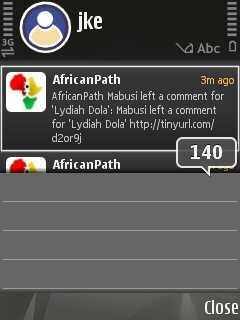
The beautiful part is that you can really SCROLL between tweets like you would do on an iPhone – bila the touchscreen on my N95 though..

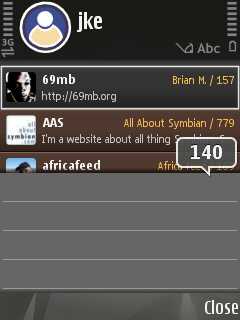
Scr000006Scr000005

And another good part is that it’s now much easier to insert images on your tweets (Twibble also has this but isn’t as comfy to use).

Gravity comes with a 10day demo version and I instantly (!) registered it after using it for only 2 minutes. Now, you’d have to know for yourself if you’re willing to cough up ~ 10,- € (in Germany – sijui why they are adding VAT on shareit.com for other countries) for an otherwise free and time consuming service such as Twitter, but then, again, there are other – much more useless – applications for the iPhone ppl are willing to spend money on and also: there are only a few really good applications for Symbian devices. Gravity is one of them.

You’ll also need to access the download page for the registered version via a normal computer as the phone’s internal S60 browser is having problems identifying the .sisx format. Jan, the developer behind Gravity, also mentioned that he’ll be working on some bugfixes now, so maybe there’s a way to include this as well (refers to the purchase of the software directly from a phone. Update routines are just flawless!).

Verdict: If you’ve been on Twibble before, you’ll LOVE Gravity. Highly recommended application.

—–

UPDATE: After some recent updates (currently 1.1x), Gravity also has the following additional features:

  • Configurable Audio Alerts for Timeline/Replies/DM’s
  • Group support for creating custom tabs with user-defined filters (S60v3)
  • Post pictures to MobyPicture and TwitPic
  • Preview pictures from MobyPicture or TwitPic
  • Full-Screen mode on S60v3
  • Built-in auto-update function and beta access for testing the latest features

And while I think that Gravity is the best application I’ve ever bought for a phone, I’d like to add two remarks:

  • There should be a cheaper version of Gravity as not everyone out there is able to cough up 9,95 € on a mobile app – and sometimes it’s technical reasons as to why a prog like Gravity is only successful in developed countries: how would you pay for this app from e.g. Kenya (where there is money but no payment system such as Paypal?). And how about a sponsored (& localized) version with fixed banners? Would it make sense? And what would ppl be willing to spend on an app (in other countries than Germany)?
  • There should be a mobile WordPress editor that’s just as easy to use as Gravity. After all these years of using WordPress for blogs and mobile phones, I’ve often called for better mobile blog editors and tested quite a few on this blog. Twitter indeed already is some sort of microblogging, BUT! it would be great if there also was an easy-to-use editor tool on the phone which could provide true mobile blogging.

Jifurahisha 1208!

Bought a Nokia 1208 mobile phone for someone else today because a local dealer had a 25% discount on EVERYTHING.

25% are quite a lot, so you can imagine that by the time I had arrived, almost everything was already sold out. Damn. 25% on an Asus eeePC 1000HE or 1000HA? Me likes! Well, maybe next time.

P1010601

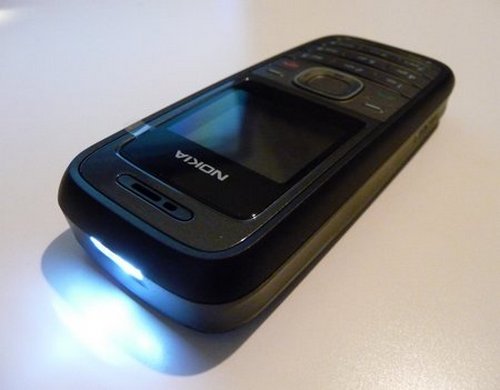
Back to the phone. As recently mentioned, the 1208 comes with an internal flashlight and is one of the cheapest – new – phones you can get for as “little” as 30,- EUR. How much would you pay for such a phone in Kenya? 1800/= Kshs? Sijui, but its obviously much cheaper than in Germany.

P1010589

SANY2014b
LED on the 1208 pcb

What I like about this no-thrills phone is that it just works. It isn’t the flashlight, it isn’t the enhanced battery life due to the small screen and relatively huge battery, it isn’t it’s compact size – no, it’s the dead simple Series30 operating system that never stalls and just delivers.

P1010606
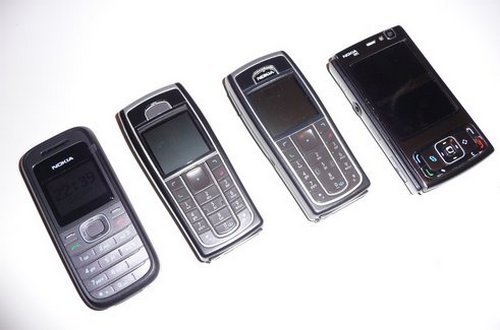
Nokia 1208, 6230, 6230i (with 6230 keypad), N95

It took Nokia two years to deliver stable firmware for the 6230, 6230i and the N95. The more features a phone has, the worse it is.

I am actually longing to go back to a monoblock phone once the N95 retires (no slider phone, hence no E75 or N97) and thought about going for the upcoming Nokia 6700. It only needs to have WLAN connectivity but it doesn’t seem to have that feature…or does it?

The 1208 is one sweet phone and I would love to keep it as a backup – but then, there’s the 25% discount I still need to cash in :-)

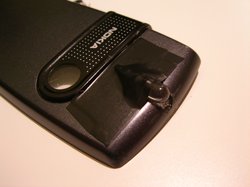
the LED phone hack

The following post is dedicated to Samuel & Juliana – both connoisseurs of mobile phones that come with an integrated flashlight (such as the Nokia 1208).

An integrated LED flashlight? What’s the big deal?

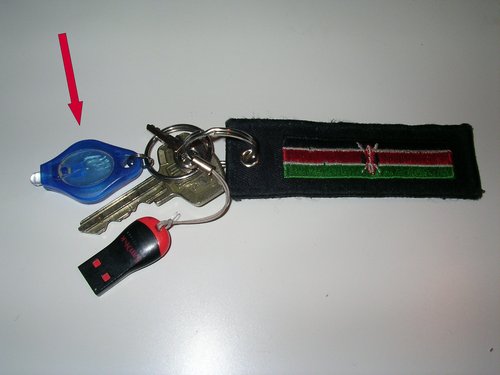
Well, if you happen to live in a country with frequent power failures and favour all-in-one devices, an integrated flashlight comes in handy for those moments when it’s too windy or otherwise inappropriate to use a lighter as a source of light. Dedicated LED-based flashlights are nice and proven – I have mine on the keychain – got it free from Globetrotter.de some years ago.

SANY1846

Sure, you could even use the brigtly illuminated screen on your phone to satisfy any quick needs for a source of light, but it just isn’t the same comfort and also isn’t right on one single spot. There btw is a fancy app for the iPhone which provides a blank white screen to substitute a flash (says @mzeecedric). Quite a ROFL-factor but more like a gimmick. Other recent Nokias with S60 and LED-flash for photography can be modified on the hardware side, e.g. cutting a wire on the printed circuit flex cable. Those “flash lights” weren’t made for constant illumination needs, hence it’s highly recommended not to do that.

I’d been thinking about a DIY alternative for a phone that could be realized by any average phone fundi out there and consequently didn’t want to come up with any SMD-type solution that would probably do a much better job, but instead come up with a simple hack that – most importantly – may be reversed to preserve any warranty on the phone.

The actual need for this project arose late last night after Samuel’s tweet on how he misses the flashlight. Besides, I had urgent work to finish so I needed an external incentive to push me through the evening until I could eventually put my hands on this “hack”.

The players:

SANY1852

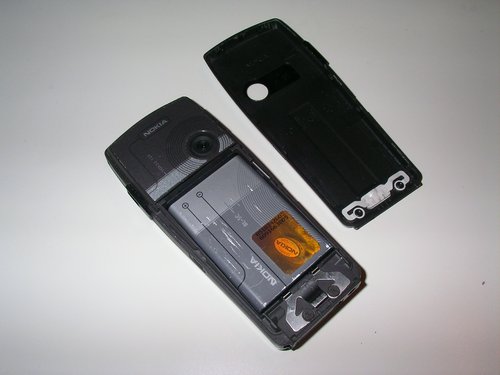
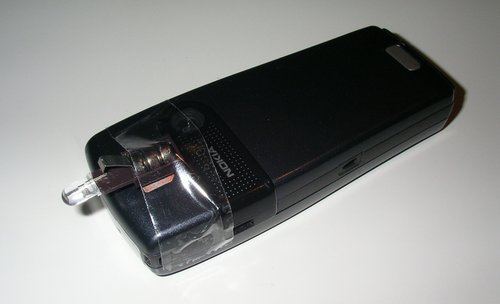
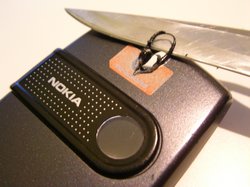
an older Nokia 6230 I rescued from eBay some time ago (my 6230i walked away in a Were-sense…). Here you can already see the thin back cover which can be replaced anytime and is thus perfectly made for hacks.

14052008203

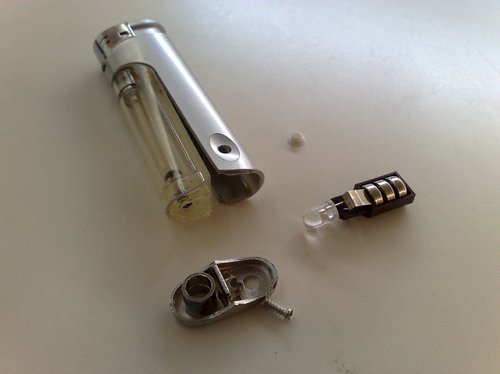
an old LED with batteries from a dead lighter

So let’s start with….

1. the cheap solution :-)

phonemod1

A quick ‘n’ dirty solution that will just do the job.

Not very sustainable though. Which gets us to…

2. the slightly better option

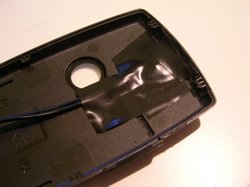
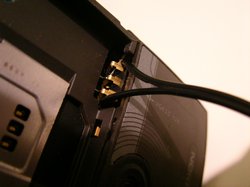
Many Nokia phones come with an exchangable cover, so it’s obvious to make use of the plastic cover which can be exchanged any time. And since there isn’t much space for a bigger battery, we’ll also use the phone’s own battery. After all, it’s based on LithiumIon technology which means relatively high energy density.

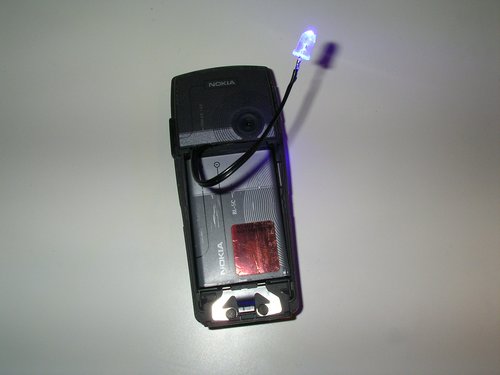
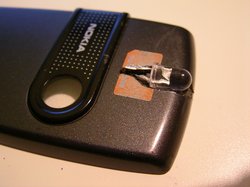
The LED is in blue colour, but basically any stronger LED will do the job. Your fundi may be able to resuce one from the usual e-waste found in popular places. I am also not using any resistor or any other passive & active parts to keep it really simple. All we need to do is to sacrifice the back cover for this hack (coz the LED has to go somewhere) and get a direct connection to the battery.

So I’d asked myself:

  1. Where do I put the LED?
  2. Will I need a switch to activate it?
  3. How will I manage to connect it to the battery, given the narrow space in between the cover and the battery?

To worsen the situation even more, I currently do not have access to my usual tools, but then again, that’s the challenge after all – trying to find a decent solution under limited conditions. All I currently have are scissors, my Leatherman Wave, a (really!) cheap voltmeter and a monsterous 30W soldering iron. My Gadgetimoja-toolbox is somewhere else on this planet…

Trying to find a short piece of relatively thin wire turned out to be the hardest part – I have lots of that stuff at home – but where is it when you need it??

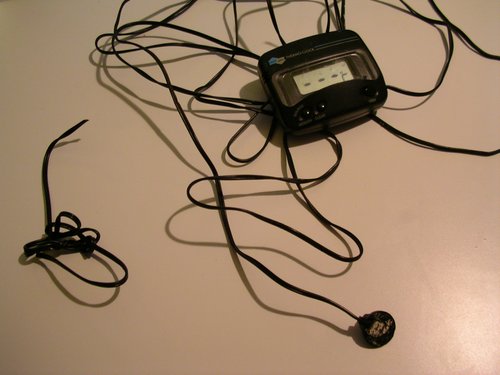
So I did what everyone does in such situations: improvise – and take it from somewhere else. In other words: look for another electronical device and see if you can “borrow” some 10cm of wire from that.

SANY1860

Pole sana, dear electrical thermometer. It’s friggin cold outside anyways so at least I’ve provided you with a few indoor minutes. And thx for the cable!

Improvising also means that you do things by trial & error and try to avoid any hardware modifications by simulating the scenario in your head. Will this work? Where will I put the LED? Can it still fit? And what about that damn switch??

SANY1862

It works!

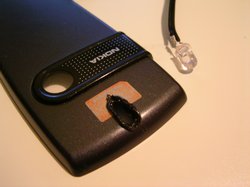
I’d made good experience with “drilling” decent holes into plastic (mis)using a cheap soldering iron in the past, so I just continued “drilling” a hole (don’t try this at home, kids) using this method. Just make sure you actually clean the iron afterwards and while it’s still hot.

SANY1865SANY1867

SANY1868 SANY1871

SANY1872SANY1875

As you can see from the pictures above, the cables are just loosely joined with the wonderful battery dock on the phone so that you can remove them any time. The LED is rather big but “somehow” fits onto the edge of the back cover. Also, the cable is still too thick and the back cover will not close the way it is supposed to (also because my phone….ahem…let’s say: had already survived a few other “operations” in the past + remember I’d previously aquired it in an awful condition from eBay).

A “switch” is also missing but this was just version 0.1 to show it’s doable to pimp an ordinary phone into a flashlight phone. It’s a jua kali hack for prototyping, I’d say.

Do you have any ideas for a switch? How would you design it? Maybe integrate it on the side? And is it locally available (= keep it cheap and simple)?

SANY1873

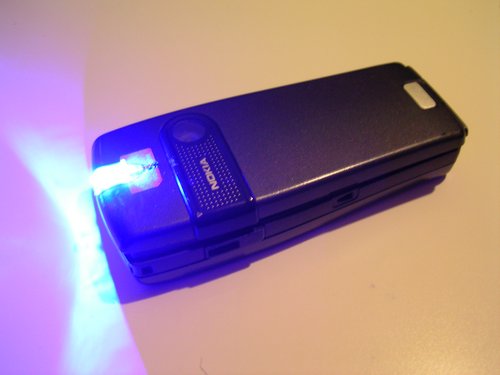
The activated LED with the back cover just put on top.

I will try to organise two more back covers so that I can play around and see what else is possible. Ideally, I’d like to see someone else from Nairobi pick this up (if not already done – sijui if this already exists in Nbo these days?) and modify it into a commercial add-on for wanainchii. After all, phones with flashlights just rock and should imho be on any phone out there. This solution here won’t jeopardize the gadget itself – and such a plastic back cover is cheap, especially this one (with a Vodafone branding, yuck!).

MobilePress

FireShot Pro capture #43 - 'MobilePress - Enable The Mobile Web' - mobilepress co za

Following my other mobile blogging related posts, both my colleagues @AfriGadget – Frerieke & Erik – adviced me to take a closer look at a wonderful (new) WordPress plugin called MobilePress.

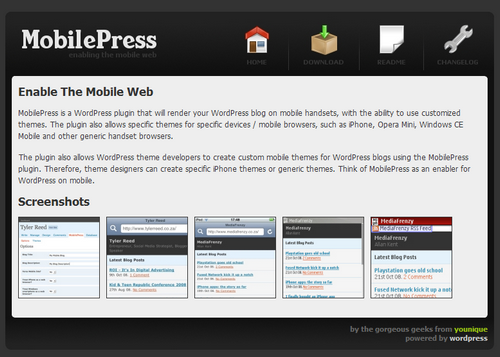
“MobilePress is a WordPress plugin that will render your WordPress blog on mobile handsets, with the ability to use customized themes.” – We’ve seen this feature with others before, but – as the author correctly points out: “Plugins exist, but, at best, contain sneaky ads and backlinks and are not all together well written.” I do share those feelings regarding the WordPress Mobile Plugin as mentioned earlier.

Despite of MobilePress being just the right choice for the mobile accessibility of your WordPress-based blog, I am still using the out-dated WPhone Admin Plugin because MobilePress (currently) lacks one important part: it automatically chooses the right rendering option based on the browser.

Now – I would like to choose that myself! WPhone does that by providing a “use mobile admin interface” checkbox on the WP login screen.

Mzeecedric and I recently had to look for a solution to a low-bandwidth blog-access issue and ended up using WPhone. I would, however, prefer to use MobilePress (also because it’s from SA, yay! :-) once such a “use mobile admin interface” functionality is integrated so that blog editors can actively choose a low-bandwidth login to the WP backend while using a normal browser.

(It’s btw interesting to see how a plugin is used for another purpose – something else than what it had been designed for. See M-Pesa in Kenya and how it is used these days.)