telefonische Erreichbarkeit zum Festnetztarif

In 2008 haben die meisten Internetsurfer ein Konto bei Skype, Gizmo oder anderen sog. Internet Messaging Diensten. Der große Nachteil von Skype & Co ist jedoch, dass man nur online erreichbar ist (PC muss online sein), eine Weiterleitung auf ein Telefon kostenpflichtig ist und/oder bei Skype zB eine lokale Nummer – wenn überhaupt – nur gegen Aufpreis erhältlich ist. Außerdem ist Skype recht teuer – mal abgesehen davon, dass niemand weiß, ob der Dienst wirklich so sicher ist. Mein Kumpel KP sagt mir, dass Skype in China abgehört wird. Für unsere instant messaging Kommunikation zwischen Dland & China verwenden wir daher einen privaten & verschlüsselten Server in Deutschland.

Wem das jetzt alles zu kompliziert ist und wer einfach nur telefonisch über eine Festnetznummer erreichbar sein möchte, kann sich entweder einen Telefonanschluss legen lassen, einen entbündelten DSL Anschluss mit VoIP Telefonnummer beantragen oder einen O2 Handyvertrag mit zusätzlicher Festnetznummer für den Bereich im Umkreis des Wohnortes klarmachen. All diese Varianten gelten aber nur für einen festen Wohnsitz.

Wer wie ich öfters umzieht, mobil bleiben muss aber trotzdem auf den Komfort einer Festnetznummer nicht verzichten möchte, dem sei folgende Alternative ans Herz gelegt, die ich nach 4 Jahren Gebrauch wirklich nur empfehlen kann:

Sipgate.de

sipgate logoBei Sipgate.de gibt es nach der Registrierung & Verifizierung durch ein Ausweisdokument eine kostenlose Festnetznummer (sofern verfügbar), über die man dann erreichbar ist.

Und zwar weltweit.

Früher hatte ich hierfür immer eine Bremer Telefonnummer, mittlerweile habe ich eine Frankfurter Nummer beantragt – der Wechsel fand innerhalb von 2 Werktagen statt! Neben Sipgate gibt es in Dland natürlich noch ein paar andere Anbieter, allerdings gibt es nicht überall eine lokale Festnetznummer. Lokal bedeutet hier: eine 069 Vorwahl für Frankfurt am Main (statt bundesweit einheitlicher 0180er Nummer).

Weltweit bedeutet: überall wo ich einen (breitbandigen) Internetzugang habe, bin ich über meine Frankfurter Telefonnummer erreichbar. Wenn ich also über die Weihnachtsfeiertage nach Bremen fahre, kann ich mein Telefon dort anschließen und bin weiterhin über die Frankfurter Nummer erreichbar. Gut für mich, gut fürs Geschäft. Weil: eine Festnetznummer ruft man schnell mal an, eine Mobilfunkrufnummer dagegen rufen nur diejenigen ungehemmt an, die keine andere Möglichkeit haben oder für die ein Anruf netzunabhängig gleichteuer ist. Anrufe ins Festnetz sind also oft günstiger – daher möchte ich auch übers Festznetz günstig erreichbar sein.

Hier in FFM habe ich ein Targa VoIP Telefon direkt über LAN an den DSL Anschluss des Vermieters angeschlossen. Wer kein eigenständiges VoIP Telefon hat (gibts bei eBay ab 30,- EUR), das so wie mein Telefon ohne den Umweg eines aktiven Computers direkt an den DSL Anschluss angeschlossen werden kann, greift alternativ zu seinem besseren Nokia Handy, dem iPhone oder anderen Handys, für die es eine Softwarelösung gibt. Um die ganze Funktionalität auszureizen, habe ich den Sipgate Anschluss natürlich auch auf meinem Nokia N95 Handy konfiguriert. Wenn ich jetzt also meine Frankfurt Festnetznummer anrufe, klingelt es gleichzeitig auf meinem VoIP Telefon in Bremen (natürlich grad nicht eingesteckt), auf meinem Targa VoIP Phone in Frankfurt und auf meinem Handy. Ideal!

Zwei weitere Gründe, die für Sipgate sprechen:

a) die Sipgate Website ist komplett personalisiert:
Konfigurationseinstellungen werden pro Endgerät personalisiert dargestellt, d.h., ich sehe eine Seite mit Screenshots für zB mein Handy und den nötigen Einstellungen, die nur für mein Sipgate Konto gelten. Das ist echt super praktisch!

b) Wer lediglich erreichbar sein möchte, zahlt nix.
Erst wenn man selber über Sipgate heraustelefonieren möchte, muss man sein Konto bei Sipgate aufladen. Dies kann später auch automatisch geschehen, zB bei Unterschreitung des Guthabens eines bestimmten Mindestbetrages.

Selbstverständlich gibt es bei Sipgate auch einen netzbasierten Anrufbeantworter, eine Faxfunktionalität (Faxe verschicken & empfangen) und eine eigene (vorkonfigurierte!) Softwarelösung für den PC.

Wer wirklich nur günstig übers Internet telefonieren möchte und wem die Erreichbarkeit über eine Festnetznummer egal ist, fährt natürlich mit InternetCalls besser. InternetCalls gehört zur Betamax GmbH, die auch VoIPStunt , VoipBuster und SIP Discount betreiben. InternetCalls hatte ich vorletztes Jahr auf Empfehlung von TurboDave ausprobiert, eine recht günstige Alternative. Wer eine Fritz!Box am DSL Anschluss betreibt und fürs Sparen ein paar Umstände in Kauf nimmt, kann je nach Bedarf einen günstigen VoIP Anbieter aussuchen (zB Anruf von Dland nach Kenia aufs Handy kostet bei Sipgate 0,35€/min und bei InternetCalls 0,19€/min.).

Für Entwicklungshelfer und andere Exildeutsche ist ein Sipgate Konto + Erreichbarkeit unter einer deutschen Festnetznummer (bei vorhandenem Internetanschluss) meiner Meinung nach die beste Wahl. Vor allem auch deswegen, weil sich die komplette Abwicklung der Buchhaltung und Einstellungen bei Sipgate online erledigen lässt und flexibel genug ist, Änderungswünsche zeitnah umzusetzen.
VoIP phone issue – solved

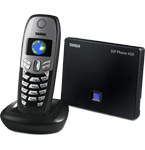
DIP phone450So I managed to secure this Targa DIP Phone 450 from eBay the other day which is a rebranded Siemens Gigaset C450 IP phone – even the Siemens firmware will run on this phone.

It’s a normal DECT-based cordless phone which also has a VoIP module for (unfortunately only one) VoIP line. That’s Voice-over-IP, internet telephony, meaning that we now have a local telephone number and do not have to rely on mobile phones only (cheaper and more reliable).

The interesting part and reason why I’m blogging this is that the phone is connected to a very cheap Edimax access point, which amplifies the WiFi network from the basement up to our little flat under the roof and thus acts as a repeater (for techies: without activated WDS!):

incoming DSL line <=> Fritz!Box DSL modem/router <=> Wi-Fi <=> Edimax Repeater <=> LAN <=> base station phone <=> DECT <=> handset

I didn’t have to change any settings on both the Fritz!Box modem/router and the Edimax repeater, but instead only had to type in my VoIP details on the mobile base station via a local IP address and was ready to go within a few minutes. Now that’s extremely cool as it just works out-of-the-box – the way it’s supposed to work.

As mentioned earlier, the initial plan was to obtain a WiFi-based phone but this solution via LAN & DECT is much more elegant. I think that most WiFi connections are not as stable as a dedicated DECT line, even though they operate under similar conditions (yeah, ok, DECT is pulsed + in a better/lower frequency range + max 250mW).
In other words: a dedicated WiFi based VoIP solution (e.g UTStarcom F1000) would probably just be as good as my Nokia N95 – coming with a weak antenna position and WiFi module which imho is the initial reason for the relatively poor WiFi performance of the N95 (as compared to the Nokia E71).

VoIP is one sweet technology. Not perfect – but ideal for technomads like me.

request for WiFi-based VoIP phone

E 10768479I am currently looking/searching for a simple cordless VoIP phone that may be used at home and ONLY connects to the local Wi-Fi/WLAN (802.11). Are there any such models on the market? A few, it seems, but still too expensive or with too many extra options.

What I want is to set up different Sipgate.de telephone numbers / VoIP profiles to such a device because the Fritz!Box 7141 DSL modem/router down in the basement only provides output to two analoge phones. And while you can set this advanced and very popular Fritz!Box system to accept more than just one internet VoIP number, one can only connect two physical phones via cable to the box (at least something, right?). These two lines are already blocked by the landlord’s phone + his AIO printer/fax machine. And his internal phone system is also analog and dates back to 1993. I could of course also try to hack the Fritz!Box (which is in fact a full computer and based on a “Linux”-system) and add an AsteriX PBX that takes care of the routing process, but I actually don’t want to change the existing system. And adding another Fritz!Box would provide at least two more “lines” to which I could connect normal wireless phones and define these VoIP profiles right on the Fritz!Box (both boxes connected via WDS). This doesn’t make much sense though, as I’d already bought a simple WLAN AP the other day which acts as a repeater to cover the area under the roof of the house (where I live).

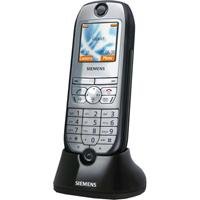
The alternative would be to use a mobile phone like my Nokia N95 which already comes with WLAN/Wi-Fi connectivity and allows for different VoIP profiles to be set up. However, I think that most of these Wi-Fi enabled mobile (GSM) phones only have a very weak antenna and rx/tx ratio, resulting in frequent signal losses unless of course you’re standing next to the access point. Plus, the N95 is a mobile and is with me all the time – while a much simpler Wi-Fi-only cordless phone like the above pictured Siemens SL75 WLAN could remain at home and provide telephony to the home office.

What I really like about VoIP is that you can take your number with you – and as long as customers in Germany often still pay much more to call a mobile line than a fixed line, it’s way smarter to also offer a fixed line number (like the one I was provided by sipgate.de for free some years ago) to your customers.

Again, any advice/comment on this issue is highly appreciated. Thx!

Auf Deutsch: ich suche ein reines Schnurlostelefon, das sich über WLAN mit einem Access Point verbindet und verschiedene VoIP Profile akzeptiert. Irgendwie hat es seit 2006 keine wirkliche Entwicklung auf dem Markt gegeben, aber vielleicht irre ich mich da auch. Eine reine USB-Lösung setzt leider immer einen aktiven Rechner voraus – und da kann man dann genausogut via Headset telefonieren und sich zB den (ebenfalls vorhandenen!) USB Hörer von Sipgate sparen.
Über WLAN deswegen, weil die beiden FON 1&2 Leitungen an der Fritz!Box schon belegt sind und eine Erweiterung der Anlage damit nur noch über Funk & VoIP möglich erscheint.

Die Kombination aus WLAN Telefon und 2. access point (der das Signal der Fritz!Box ausm Keller bis unters Dach verstärkt) funktioniert schon mal – nur eben nicht so super, da die Antenne / Funkverbindung im Nokia N95 bauartbedingt schwächer ist als es ein reines WLAN Telefon wie das oben abgebildete Siemens bieten könnte.

N97

With all the iPhone hype back then, pls allow me to celebrate my Nokia fanboy moment for 2 minutes.

Honestly, I wasn’t counting on any innovation by Nokia these days and really hope that they improved the S60 browser on this upcoming device. I think the success of a phone these days depends to at least 40% on the mobile browser. The one on the iPhone is good. If Nokia understood this message and improves the S60 browser until the N97 is released in ~ 05/2009, it could become a? good phone for bloggers. Else it will just be another SE X1, HTC touch and so on.

The swapable QWERTY keyboard (horizontally, not vertically – very important) is the only reason I would accept moving from a slider phone to another slider phone. Else I am all monoblock. Same reason why I switched from a Nokia 7110 to a 6210 in 2000.

Oh, and did I mention it has microUSB charging? To me, real innovations start with these not so obvious details which are more important to me than awesome multimedia options.

If this new phone is as easy to use as the iPhone, I will want to have it asap!

Nokia Multiscanner

While testing Nokia’s E71 two months ago, I couldn’t find the following application on the phone I’d read about somewhere else: Nokia Multiscanner. I know that it apparently comes pre-installed on both the E71 and the E66, but on my trial device, it was just missing. Since I already LOVE Nokia’s BarCode reader and think it is a very smart application, I didn’t hesitate for a second upon seeing it as an item on my feedreader today and installed it right away. Unfortunately, the original source of that blog post is currently offline, but Google still provides other interesting resources about Nokia Multiscanner.

[all screenshots are in German as my phone is set to German language]

Screenshot0045

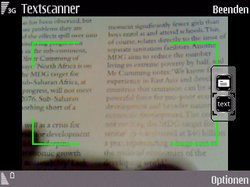
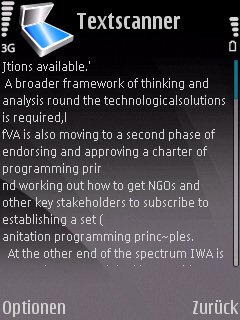
Nokia Multiscanner is an application for S60V3 Nokia phones that provides Optical Character Recognition (OCR) for scanned texts. Currently, both business cards and document texts are supported – it even “reads” German texts and displays them on the screen for further usage.

Screenshot0047Screenshot0048

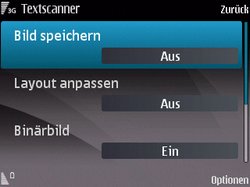
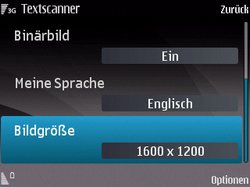
available options: save image, adjust layout, binary image (?), language, image size

Screenshot0054Screenshot0057

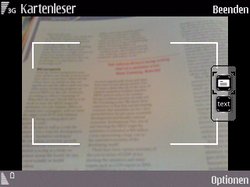
You can even zoom in and do the usual auto-focus to get your selected text in focus (doesn’t appear on these screenshots though as I had to simultaneously press two buttons at the same time to get the screenshot).

Screenshot0050Screenshot0051

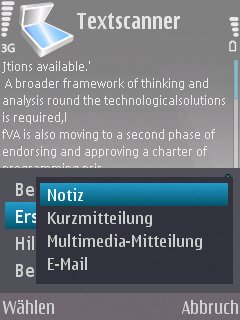
It will then display the scanned text and even ask you if you want to further save it as a note, a short message, mms or e-mail. Neat!

The beautiful part is that this application really works to an extend where it is somehow usable. Scanning business cards is even easier, as it will already group different parts of an address to different fields (the user may then still edit). See this forum contribution on Nokiaapps.org for more details on the procedure (also includes lots of interesting screenshots).

Nokia Multiscanner currently runs on my Nokia N95-1 and from what I’ve understood so far, Multiscanner was initially designed as a pocket translator tool – so the pure OCR functionality is a nice add-on.

As for scanning business cards, I will always recommend using Nokia’s Mobile BarCode Reader instead and sticking your very own personal barcode to the back of your phone.

HSDPA via PCMCIA

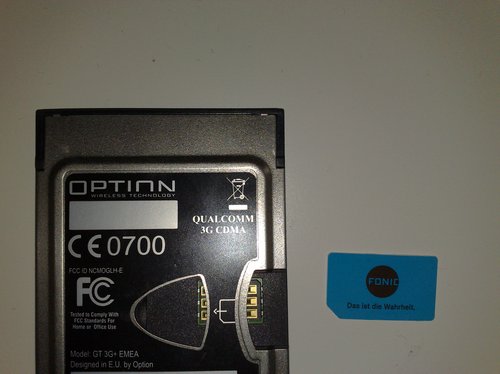
As already mentioned some days ago, I’d recently lost my normal (DSL) internet broadband connectivity the other day and urgently needed to get back online. So I quickly went for a Fonic SIM card (operating within Germany’s O2 network) which offers the cheapest (not cheap, but still cheapest) surf & go flatrate for UMTS / GPRS connectivity up to HSDPA (3.5G) (2,50 EUR / day). All other flatrates currently on offer either come with a 24-month subscription, or do not offer HSDPA (3.5G) speed.

I’d used the Fonic SIM card on the Nokia N95 – my mobile phone I normally use for another line. Fonic also offers USB UMTS modems made by Huawei – however, these external modems often sell for 60,- EUR and above (Fonic sells them for ~ 100,- EUR with a new SIM card). USB modems are nice, also because they connect to any USB device (desktop pc, notebook, netbook) – but they are still too expensive for me. Also, I do have a PCMCIA II slot on my notebook I’ve never really used so far (except for my Harry’s TV card which is still with Harry – ati bwana, diese Lösung hier ist auch für Dich interessant).

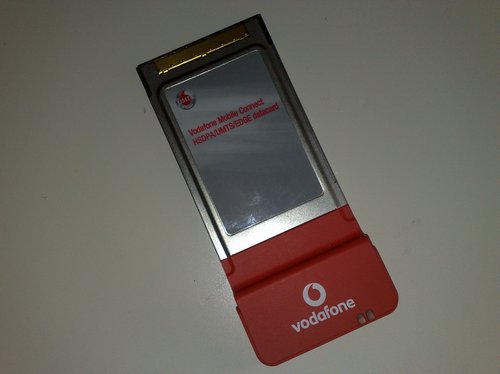
So I checked out eBay and found this really great offer where someone had this “Vodafone Mobile Connect HSDPA / UMTS / EDGE datacard” PCMCIA II card in an auction..

03112008120

…which I managed to secure for just 2,- EUR! :-)

03112008121

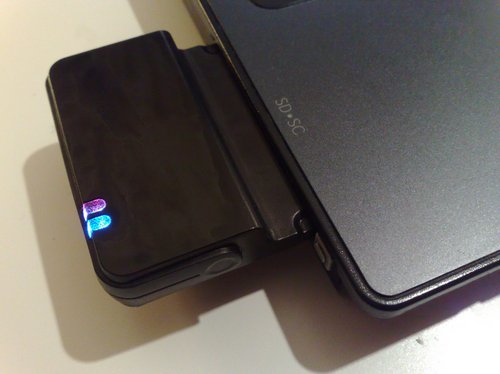
It’s a “Qualcomm 3G CDMA” PCMCIA II card, also known as “Option GT 3G+ EMEA”. Oh, and it also has an extra port for an external antenna, so this may be of particular interest to those who are living far away from the next base station.

Well…don’t be fooled by the Vodafone branding – this card isn’t SIM- or netlocked, and it will just work. Took me about 20 minutes to search for a valid driver package and programme to run it, and 3 minutes to install it.

The problem I had was that these Vodafone (T-Mobile, OEM, etc.) cards aren’t officially supported by Option, which is why I had to find a driver package for this card in the first place.

globetrotter
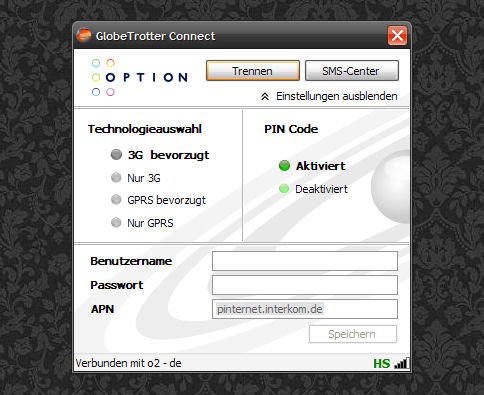
Option Globetrotter Connect

I’d previously used Vodafone’s 86mb package (Vodafone connect) to get the driver, but even after deinstalling it later on, I think the drivers are still on the system, so I can’t really tell right now if I am currently using the Vodafone drivers or the ones from this hidden Option Globetrotter Connect suite which is much smaller (2,6 mb vs. 86 mb). On the other hand, both software packages have drivers made by Option, so I guess they are all the same (except for Vodafone providing bloatware along with the plain driver package). [Update]: The above mentioned Option Globetrotter Connect suite is all you need. Install it, plug in this card, it will automatically select the drivers and you’re ready to go. Simple as that.

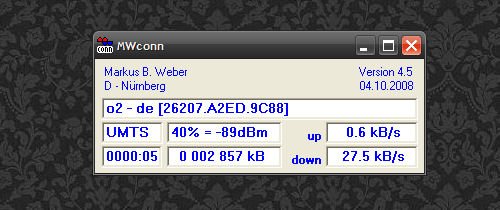
Another interesting alternative, and my initial reason for this blog post, is MWCONN – a really perfect little freeware (WinXP) access tool for mobile internet connections. Perfect, as it provides lot’s of interesting details to the running connection:

mwconnect

The whole setup still needs to be optimized and the speed improved (the network here currently only supports up to 1,8 Mbit/s, not 3,6 or even 7,2 Mbit/s). Also, since it’s based on a PCMCIA card, it will only work via PCMCIA slots (which is one of the reasons I’d thought about going for a used 12″ subnotebook instead of a 10″ netbook). But still – this internet connectivity is better than nothing + it is a dedicated solution that doesn’t require any swapping of SIM cards + carrying an extra cable for the phone as Bluetooth alone is too slow. Also, MWCONN on the other hand also has this *100# prepaid credit balance check built in – which makes sense because there’s no keypad as on a phone to type in such a basic command.

The only downside to MWCONN is the missing driver package, so if you’re cheap like me and into buying hardware only via eBay, just go for the Option package above. It really is all you need for WinXP.

03112008132
Vodafone sucks big times – and so does their branding :-)

Now let me see how it performs with Ubuntu 8.10…read somewhere that it is natively supported there. Which means: plug & play!

[UPDATE]

It just took me 2 minutes to get this thing online via Ubuntu 8.10 – out-of-the-box, that is. Plugged it in, chose the new network management tool, selected mobile broadband and entered the following data for Fonic:

APN: pinternet.interkom.de
primary DNS: 195.182.96.28
secondary DNS: 195.182.96.61

Compared to all the stress I used to have with such toys back in the days, this setup just works.

Verdict: if you own a mobile device with a PCMCIA II slot and want to get online, don’t spend a lot of money on USB devices if you can also have it this way. Works with WinXP SP2 & Ubuntu 8.10.

Foniclious

Due to a more or less funny reason, we ended up being bila a working internet connection this morning – 1&1 killed the line within minutes after realizing that a bill of about 50,- EUR (for the 16k DSL line here) hadn’t been paid for by the landlord.

As money transfers usually take some time, I quickly realized I’d have to do something about this state of being without a working internet connection because I currently really need this access for research & work.

fonic

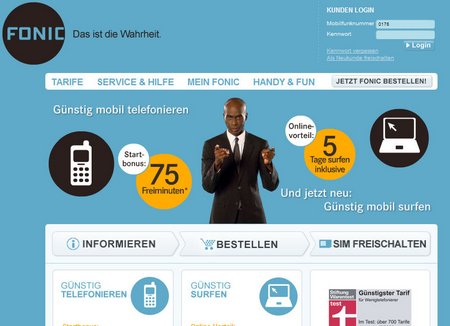
Some weeks ago, the German mobile phone provider Fonic (that resells capacity on the o2 network) introduced a daily flatrate, meaning: you aren’t charged 0,24 EUR /MB, but instead pay 2,50 EUR per day and can surf for as long as you want! The only limitation is that they’ll reduce the speed from HSDPA (!) to GPRS once you’ve downloaded more than a GB of data / day.

Now, paying 2,50 EUR/d for a whole month is too much (30x 2,50 = 75,- EUR), but you’re only charged for the days you’re actually surfing the net. So, obviously, this offer really makes sense for those who want/need to have a location-independent internet connection for a few days only, e.g. if you’re travelling around or if you’re DSL line is offline.

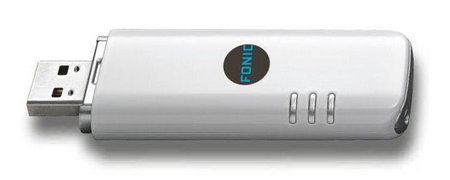
To introduce this offer, they started selling a Huawei E160 UMTS/ 3.5G USB stick, containing a fresh SIM card and with a microSD slot for the proud sum of 99,95 €.

FON407-1

Too much for me, but I do have a 3.5G-capable Nokia N95 which never really lived up this speed until now, as my other SIM card operates on the E+ network which does not provide HSDPA coverage.

Following my aged posts on how-to-use-gprs via Suffericom two years ago, I thought about covering my experience with Fonic as well. Also, I thought it would be interesting to see this direct comparison between Safaricom in Kenya and o2 in Germany – both networks that expanded their own capacity at a similar time. But while operators like Safaricom, Celtel and Zain do not have so much fixed-line competition, DSL via your old-fashioned telephone line is the de-facto standard in most German households. As a result of that, data connections in Germany are not as badly overcrowded as in Kenya.

Getting online via Fonic is quite simple:

  1. bought a Fonic SIM card for 9,95 EUR at a local supermarket
  2. You have to charge it with a minimum amount of 10,- EUR after purchase
  3. called their hotline, activated the SIM and kindly asked them to activate the daily flatrate for me (took less than 2h).
  4. back home on my computer, I just installed the Nokia Bluetooth drivers, set up a Dial-Up BT connection to the phone, entered *99# as the telephone number and went online. Simple as that!

I mean, for the first time ever this really just worked out (= out of the box!) the way I had wished for, so now I am happily browsing the net again and currently searching for a portable UMTS modem that I can use on my computer to substitute the phone (which I urgently need for the other line).

Fonic currently also has a special deal where you enter the telephone number of an existing customer and both – in my case: me & fellow blogger Mzeecedric – are rewarded with a 5,- EUR bonus.

I know that Fonic recently provided free (Huawei E160 surf stick) sets to some bloggers here in Germany. I may have missed that – but all I want is that it works – and right now it does that without any hassle. Let’s hope it stays that way over the weekend! :-)

Oh – did I mention that the Huawei E160 has an extra socket for an external antenna? These sticks are still too expensive here, but something like that is what I actually need. Or maybe a PCMCIA card (albeit being real battery drainers…).

Skype Mobile (Beta) [updated]

Following this post about a new Skype Mobile (Beta), I couldn’t resist and installed the latest version of Skype Mobile on the Nokia N95.

Upon registering your mobile number on the Skype Mobile download page, an sms will arrive with a personalized download link. The application itself is about 360 kb, installs pretty quickly (I always use the phone’s internal memory – not the one provided on the microSD card) and it starts within seconds.

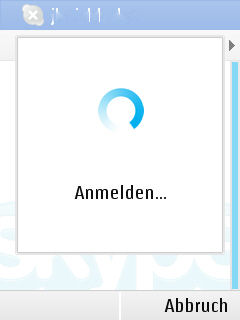
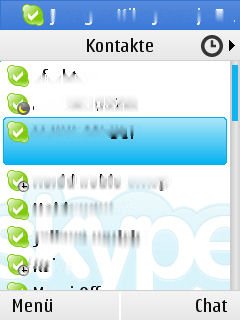
Here’s what it looks like:
(pls don’t be irritated by the German language selection)

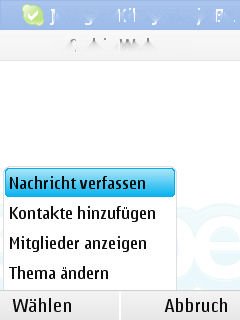
Screenshot0019 Screenshot0027

Screenshot0028 Screenshot0030

So far, so good.

Screenshot0020 Screenshot0021

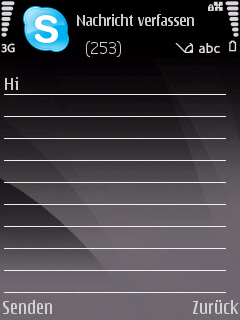
To edit a message, the S60 editor comes up (same as on SMS, OperaMini, etc.) and you can type your text.

Screenshot0032 Screenshot0033

It even shows you the current credit – nice!

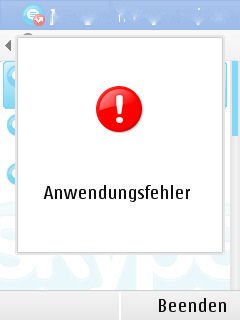
Multitasking apparently does not work that well, as it suddenly displayed the following error message and closed itself.

Screenshot0018

Could be due to the running screenshot application that was trying to capture the screen as a background process.

What I like about Skype Mobile:

  • huge fonts, clear interface
  • makes use of full screen
  • shows Skype Credit

What I don’t like about Skype Mobile:

  • application is still in beta state, albeit being released as version 0.9.26.0 which implies that it’s close to a final release
  • only covers Skype
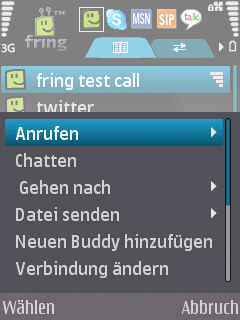
    (as opposed to Fring that just works like a charm and provides some more services, e.g. MSN, Twitter, GoogleTalk, etc.)
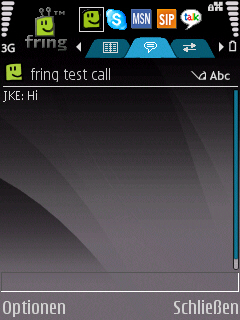
  • text input is in an extra window (apparently due to the S60 standard setup) – Fring really solved this in a much better way
  • upon starting the application, it tells you that it will charge you extra for incoming calls. Charge for incoming calls that are coming from another computer? Is this still VoIP? Not so on Fring!
  • conversations are only accessible through the list of events, not as different tabs
  • text from conversations (e.g. hyperlinks) isn’t accessible, not even for the copy & paste method (this btw also doesn’t work on Fring)

Let’s compare that with the Fring experience on the N95:

Screenshot0022 Screenshot0023

Screenshot0024 Screenshot0025

Fring really is that All-In-One solution that a) just works out of the box, even as a background task and b) provides much more information on useful information (e.g. network, battery, different tabs for open chats).

Verdict: Skype Mobile (Beta) (for Nokia N95/S60!) should go back to the labs – and maybe also remain there, as Fring already does the job.

I don’t know how far Skype is involved in Fring’s business (investors?), or how closed Skype’s API is for Fring (now and in future), but I just don’t see any sense in this Skype Mobile application if Fring is so much more advanced and accepted by users. The only reason I’ve left it on the phone is because it shows the Skype Credit which Fring does not. Other than that, Skype Mobile gives me the impression that it was created for the typical Windows Mobile user who normally uses a pen and a QWERTY keyboard for text entry and navigation. And who will definately appriciate it if his future phone comes pre-loaded with Skype Mobile (at least – that’s what they had in mind, right?).

Also, I just appreciate how Fring is integrated into S60, showing all relevant background information from the host system (network, battery, etc.) and still provides it’s own navigation. Skype Mobile, on the other hand, is one of those stand-alone versions that you as a user will not want to minimize and close down as a background process. The service itself takes up system resources, and if if does not provide the same flexibility as other services, there’s no reason to keep this battery drainer running in the background.

Way forward: what I’d like to see is a combined eBay/Skype solution, similar to what Yahoo! created with it’s Yahoo! Go application. Something that adds value to an otherwise plain service. Currently, not all phones are capable of multitasking, and if battery drainage is still an issue, I think it’s much wiser to offer an All-In-One solution that either provides maximum connectivity (e.g. Fring) or one that integrates different web services (e.g. eBay) and transforms them for the mobile platfrom.