The One Laptop Per Family initiative

The One Laptop Per Child (OLPC) initiative – yeah, “nice” – but let’s look at reality and at what we can / what we’ve already done in the past: inheriting a used, older computer to a member of the extended family – I call it the One Laptop Per Family initiative :-)

Be it in Europe, Africa or the US – in most cases we (we as in “the computer guys”) aren’t always around so what we’ll often do is giving them a Windows XP machine with basic software – hoping that they’ll be responsible enough not to click on any strange e-mail attachments. But then, malware may even enter a healthy system through swapable media drives, such as USB flash memory sticks. With a growing popularity of these memory drives, a system is quickly infected and delays productivity or even renders it useless. But what can we do instead?

A year ago, I gave my old desktop computer to my mum and left her with that WinXP installation. She was a complete computer newbie back then and I knew that she would also attend some computer training courses where they would teach her how to write an MS Office Word document, handle MS Excel or even just write an email, using MS Outlook (Express).

Knowing that I wouldn’t be able to help her when I am not around, I initially had some doubts about this setup and asked myself if I shouldnt have gone for a Linux distro instead – also since she was completely new to computers. Why Linux? Well, it’s much more secure and I wouldnt have to worry about any malware infecting the system.

Earlier last week, I’d paid her a visit and repaired the computer – reinstalling Windows XP because I didn’t have enough time teaching her how to use Linux (Ubuntu/Freespire with an XPDE desktop ) instead and setting it up to work with all external devices.

And this is exactely where the problem is: what kind of operating system (OS) would / will / have YOU installed on those machines you’ve left with your loved ones? Yes?
SANY0137
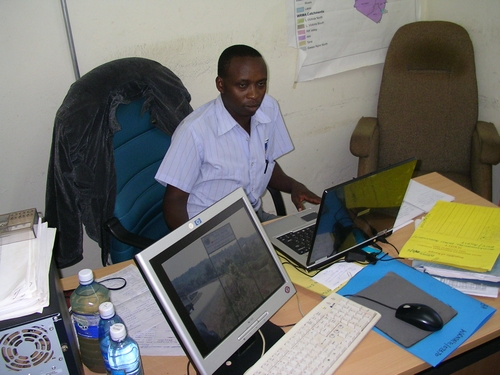
Zakayo @ work in his office (hey, you’ve just been blogged, dude :-)

Take my colleague Abdoulaye, for instance. He stays in Paris, France, works as a consultant in Frankfurt during the week and made the tragic mistake of buying a desktop-laptop three years ago. “Desktop-laptop”? Well, it’s an Asus Z8100 which comes with the same parts as a desktop computer, including the battery-eating cpu, a very loud fan, a horrible battery life and heavy weight. You wouldnt want to carry this machine around with you. Alas, this is exactly what he has done in the past. So we are in the process of getting him a better machine @ smaller size and made up plans how to set up his Asus Z8100 for use with his parents in (The) Senegal .

So there you are: an older computer at your hands that will be given to the extended family back home and the quest for a better operating system which *just* works.

With (a french version of) WinXP, we’ll sure find enough guys back home who’ll provide assistance in case of emergency and it will also be possible to connect a mobile phone to the computer (= inet access) with PC Suites that are available online from Nokia, Sony Ericsson and so on.

But then – there SURE will be someone unintentionally infecting the machine with malware and/or or things happening that will quickly kill productivity on this machine. The alternative?

The alternative could be a free and open (alternative) operating system – such as Ubuntu – but it lacks this out-of-box-experience to support a mobile phone and/or provide instant internet access. Also, it will be harder to find some local assistance in case of problems.

You see, there are currently many different Linux distros out there that all do a nice job of providing an interesting alternative – but which one of them provides this out-of-the-box-experience so that any average dude or dudette out there may just download a fresh copy, burn it to a CD, take an older computer, install it and give it to his/her family back home?

Something that will automatically setup a mobile phone to the machine (given that mobile phones / GPRS modems often are the only reliable way of accessing the inet in rural or peri-urban areas – provided that the area is covered with a wireless/gsm network); something that will automatically support most common desktop printers; something that will just work and provide a maximum connectivity and security even during power failures (no unstable file systems, that is).

This is why I think that initiatives like Ubuntu and or the general promotion of Free Open Source Software (FOSS) are much more important than giving out dedicated hardware to users because it’s the software that makes the difference, not hardware. And yes, the OLPC initiative is also nice + my understanding is that it was also developed to create some reverse-engineering spirit with the kids. But then – it’s still an investment whereby we – as end users – could just as well hand out normal hardware with an alternative OS. Think of your old laptop from 1999 and a copy of Edubuntu

So…if YOU know of any free and open operating system that provides this flexibility and “Luser” -compatibility, pls feel free to drop a comment here so that we can all benefit. Thank you! :-)
I like eyeOS

What’s eyeOS?

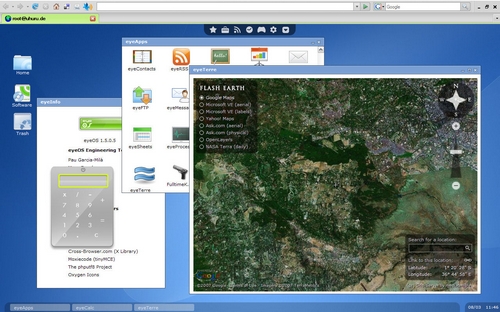
EyeOS is virtual desktop / operating system accessible through a browser. Or as they describe it on their website:

eyeOS is a new kind of Operating System, where everything resides on a web browser. With eyeOS, you will have your desktop, applications and files always with you, from your home, your college, your office or your neightboor’s house. Just open a web browser, connect to your eyeOS System and access your personal desktop and all your stuff just like you left it last time.

[youtube Zt35LLcMlcM nolink]

So I’ve downloaded their latest release and installed it on my webspace. Note: I am still on 1&1 (1und1.de / 1and1.com) due to historic reasons (urgently need to switch to a cheaper host though – any recommendations that really work & are reliable? Uptime on 1&1 has been great in the past but they are just crazy about mySQL dbs and other extras. Automatization / user admin panel is still very nice on their system so any other cheaper service would need to offer a good admin panel as well. thx!) and eyeOS requires php 5 in order to run. 1&1 offers both php 4 and 5, but 4 is the default setting. In order to use php 5 on your 1&1 server, you’ll need to rename all files from .php to .php5 and likewise all links / references / calls to other php files within the install.php & index.php. Did that and it just works fine:

eyeos

You can test it for yourself on eyeOS.info and I recommend to set your browser to fullscreen view (F11?) in order to fully enjoy the desktop.

So WHY is this interesting?

  • It’s a personal, virtual desktop offering some basic progs like word (based on the tinyMCE editor as in WordPress) or a spreadsheet program, but also games, a calculator, etc – basically, everyting that will be developed for it – so there sure is much more to come.
  • There are moments when you are on a very restricted computer which doesnt provide much flexibility except for an inet connection. Sure you could use Google Documents or even PortableApps on a USB flash disk (I’ve introduced PortableApps at our office because ppl wanted to use Firefox instead of MSIE 6!!.0 without running into trouble with the IT dept.), but maybe there’s no USB port available and/or you don’t have a Google account?
  • It comes with an FTP client. The ftp port 21 is closed @ my place of work, so the only way to use ftp is by using a) an unsecured wifi connection (ftp is plain text anyways) or b) using such a remote ftp client.
  • It is platform independent! Access your eyeOS desktop via WinOS, MacOS, LinuxOS – any browser with JavaScript will do! Doesnt work via the Symbian S60 V3 browser (based on the Safari core) and OperaMini though.
  • You may want to access all your data in a customizable environment without worrying about carrying USB flash memory around.
  • Would this work on a server and low-cost terminals connected that just have a browser? => @ University – could be an interesting idea for local networks, if not already realized (haven’t combed through their wiki actually, these are just my impressions so far).
  • There’s no additional software needed! No need for special client software except for a working browser.

Imho, eyeOS is a very interesting alternative to….to what? To a virtual machine in the network via VMWARE or a remote VNC connection? Maybe. I think it rather indicates that the future is all about “being connected” = networked computers and that data will then be stored on a main server somewhere, accessible from anywhere in the world. Storing devices such as CDs, DVDs, USB flash disk are the best indicator to see how everything quickly changes from long-time archives to fast-and-forget memory. Following this line of thinking, the question of illegal downloades could one day just be solved as all multimedia files could remain on a central repository and usage (you dont need to physically”posses” data on your hard drive – you just want to use it, right?) would be paid for. Sure there would be ways to crack or bypass that but that’s just another question.
As for now, as broadband / fast inet connection isn’t available everywhere in the world, I tend to regard this only from a local area network perspective. Has this already been implemented at a local university? => Skunkworks Kenya / Kenyatta University?

I like eyeOS because it doesn’t require much to work. It’s simple, it’s efficient, it wins.

the one stop resource

Ppl use Wikipedia to access encyclopedic knowledge on a certain topic.
Ppl use Google for a broader search on a topic.
Ppl use Del.icio.us to receive selected search results that have been pre-selected by human users.
Ppl use Amazon for buying books online.
Ppl use eBay to find a used spare part or other interesting items available for purchase.

The other day I saved this link to my delicious account which provides many interesting DIY manuals on various topics. You know how many websites there are that provide DIY manuals or user guides? Many! – BUT! you’ll never find them because they aren’t as SEXY as Wikipedia or Google or Delicious or Amazon. “Sexy”, as in “known + popular + easy to use”.

WHAT WE NEED to have is a 1stop-resource-online with manuals on each and every topic, all of them attributed with a CreativeCommons licence for transparency reasons and a tagged system.

THE BEST WAY to achieve this would be to ask ALL providers of DIY manuals online to enter their publications one by one into a social bookmarking system online (or a dedicated website on this topic) and tag them with appropriate keywords for further reference.

It would make things so much easier.

Besides, having them in a social bookmarking website, we wouldn’t need to create one huge server with bandwidth capacity, but instead everything could remain where it is right now… also, i am just talking about DO IT YOURSELF manuals here, not the usual corporate *soft* blabla like “discussion papers”, “***** framework”, “what ought to be done”-papers and other “please consider the environment before printing this paper”-documents that are just justifying the PhD of some authors but don’t change anything to the better for those who are willing to change the situation they are in and could actually make use of the aggregated knowledge as found in DIY manuals.

Me thinks: most organizations just don’t do this because a) they don’t know about social bookmarking websites, b) there’s no policy on this, c) they are consequently not paid for this extra work and d)? there’s a certain aim to stick to their publications = products = proof of their work = income generator for the years to come.

black is beautiful!

…a.k.a. “things you do when you are supposed to other things”:

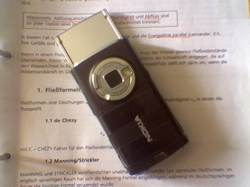
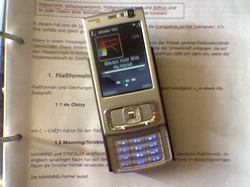
Here: changing the (broken) original silver/”plum” cover on your Nokia N95 into a MadeInChina-plastic cover in black.

before:
Bild0001Bild0003

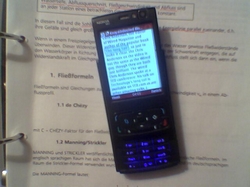
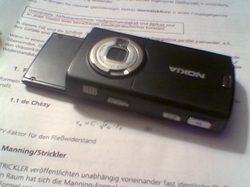
after:
Bild000Bild002

(Pics taken with a Nokia 6230, hence the lousy image quality. Pole.)

Took me one hour. Problem is that you have to remove some parts like the loudspeaker or the flexible pcb underneath the display from the original cover and have to stick it (it’s glued!) to the new cover. Dito bottom: had to remove the GPS antenna and glue it to the new cover. You have to be a bit careful while reassembling it – especially the slider (hinge) requires some attention.

It feels a bit cheap with the new cover, sort of plastic touch to it as only the front plate is made out of aluminium, but it fits, looks better (imho) and works. I am not a big fan of the overall N95 design (i thinks it’s horrible and looks like a prototype – e.g. no seamless integration of the display) and with this new cover I think it looks a bit less chaotic.

Can you see the clear adhesive tape on the old battery cover? Well, a new battery cover (alone!) sells for the 1/3 of the price for a new complete black cover, so I was tempted to go for this complete mod. Considering that you have to remove some glued components from the original cover and make sure that you don’t destroy any gaskets, I think it may even be easier to just paint it black next time.

two videos

I was just going through my blogroll (which btw urgently needs to be cleaned up and /or reorganized – yes, mzeecedric, blogroll still valid in times of web 2.0?) when I came across the following two videos which I would like to share with you:

1. Bluetooth headset “sniffing”

[youtube 1c-jzYAH2gw]

[via]

2. security analysis of a voting machine

who fills the gap?

Just a short longer note on something I would actually like to expand into a post for Afrigadget: mobile phone repairs.

Back in 1998 when I first started fixing my mobile phone, things were a bit simpler. Fast forward in 2008, mobile phones have become a commodity and there are at least two or three guys in most rural towns (in Kenya and elsewhere) that will know how to fix such a phone.

So why blog on it? – Because it’s the way ppl are looking for alternative solutions on how to fix an advanced mobile phone based on SMD technology that makes the story interesting.

SANY7197
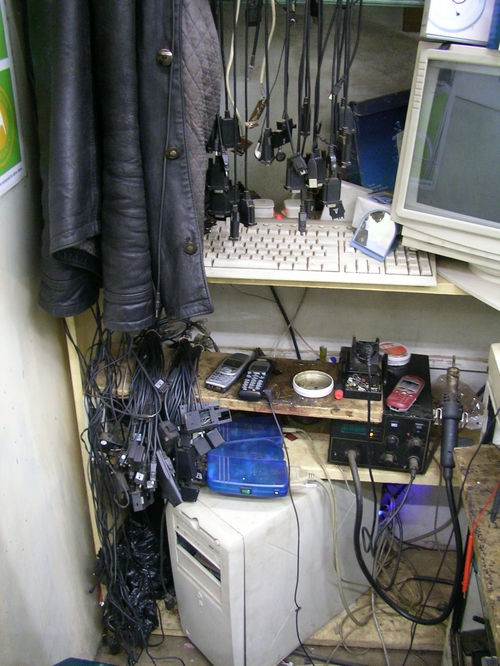
mobile phone repair booth in downtown Nairobi, picture taken in May 2006

In a world that has become more and more modular, where spare parts are exchangable or product life cycles reduced to a lifetime of about 2-3 years (best example: printers), not all is waste or wasted, and many things may often be repaired with simple and sometimes even very rough methods. Ask any mobile phone repair shop @ Moi Avenue Nairobi and they will tell you how they managed to save this or that phone. This, to me, is especially interesting, as they are using similar tools like other jua kali fundis in Europe – in a different environment. Whereas phones in Europe are often owned and used by one person only, phones in dev. countries are often shared between family members or friends. No wonder Nokia came up with two new phone models for emerging markets the other day, offering more than one phonebook / user profile on a single phone. Hence the need for a different approach to service repairs…or not?

What you see above in the pic – and I desp. tried to get a decent pic of such a booth back in May 2006 when I last tried to cover this subject – are normal flasher cables. Serial & parallel cables, like datacables, ppl use to connect a phone to a computer to unlock a handset, flash the firmware or run some tests. Your handset is blocked by the network? Don’t worry, just reprogramme it (illegally) with a new serial number (~ IMEI). These are things done everywhere in the world – in the Middle East, in Asia, in Europe, Africa, etc. – only: they are all based on reverse engineering.

Modern phones come with some more sophisticated algorithms and require a slightly different equipment – but that’s just a question of money and consequently there are, again, a few guys who will own a Twister Flasher or a BB5 unlock box in town (I really dig this microscope, sigh :-)

Coming back to the initial question – why is it so interesting? Well, because manufacturers like Nokia or SonyEricsson create service manuals for their phones (which are then circulated over the internet), giving the schematics and parameters of each and every part. But they usually don’t train those jua kali fundis. And a licenced Nokia Service Center? Apparently, they often do apply the same techniques and may or may not be equipped with special and better service gadgets. And they are expensive.

In other words: it’s cheaper and much more interesting for manufacturers to produce new phones than to train service staff on how to fix a mobile phone. Simple, new or refurbished phones are sold for something like 20,- EUR. And yet there’s this huge demand for quick & cheap repairs all over the world. This also applies to other electronics, cars or even lighters.

Anyone out there remembers how we used to refill one-way lighters with Butane gas (using a chopped nail and balancing the firestone on the forefinger while reassembling everything)? Back then lighters were sold for something like 25/= Kshs. and a refill was available for 10/= Kshs…

Now, while reverse engineered / alternative / jua kali (phone) repairs are interesting and will most def. make a good story on Afrigadget, I am constantly asking myself how manufacturers like Nokia will profit from this niche and use such knowledge for further engineering? Yeah, well, maybe Jan Chipchase‘s research may be part of that, but then: who will fill this gap between new products and broken gadgets (leave this market to jua kali fundis and private individuals only?) and will a break-even point be the only criterion to define this approach on when it makes sense to invest in new equipment? What about environmental damage (during production) and how is this accounted for?

The fast growing mobile phone sector is an interesting example to see how the world has changed, and I am currious to see when the majority of customers in places like Nairobi will prefer buying another phone instead of having the old one repaired.

mp3 album covers

Did you know you can include an image of the album covers of your (ripped) music cds within the ID3 tag of an mp3 file?

It started two years ago, when I was given this 30GB mp3 player – only to quickly realize that around 3/4 of all my mp3 files did not have proper ID3 tags and thus only appeared under the “unknown artist” category on my mp3 player. This of course depends on the player, and while some are capable of reading this basic information from the file name, others rely on the ID3 tag of each music file to identify the artist, album name, title, track and so on.

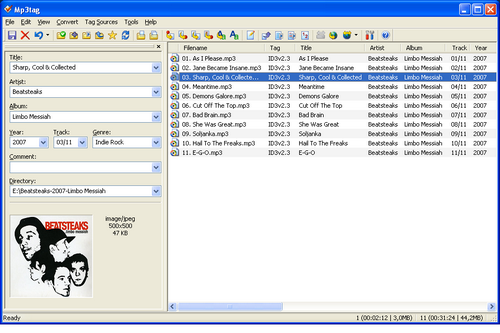
I’ve been using Mp3tag, a small program to automatically edit metadata (~rename filenames, ID3 tags, etc.) – and just realized that they also offer the integration of album covers via Amazon.com. Nice!

sht main

Maybe I am a bit old-fashioned – but which player & music software are YOU using to listen to your music collection on your computer?
That is, I dont like iTunes and even Winamp has started to suck. These progs take ages to load and sometimes even mess up my mp3 collection. I’ve been using foobar2000 for some time now and am quite happy with it. A fast & slim player that instantly loads on this WinXP machine. Oh, and it also scrobbles my tracks to last.fm, so what else could I ask for? Album art isn’t shown on foobar2000, ok, but beautifully displays on my mobile phone’s player.

Reason for mentioning this: I like it how the mp3 format has so many options for saving meta data. I wish the same usabililty, with which ID3 tags are supported by various players & displays, could also be used for implementing metadata into image files. There’s this utility I tested the other day which writes tags right into an image file (*.jpeg, *.gif, etc.), but it wasn’t that stable (there’s a much more stable build available now). Pandorado also seems to be an interesting alternative I’ll still have to test.

There are (at least) 3 completely different approaches for storing image metadata:

  • Using a Database. This is what Picasa (and others) do. The problem with this approach is that only the database program is aware of the context between metadata and images. Thus, metadata can get lost when files are copied or transfered.
  • Using ADS (“Alternate Data Streams”): This is a feature of the Windows NTFS file system. ADS data is stored in hidden files which are attached to the visible image file – as long as this file stays on the NTFS file system. ADS data will get lost when, for example, you copy the file to a CD-ROM or a memory stick or when you transfer it over the Internet. You typically access ADS data by the Windows Explorer “File Properties/File Info” option.
  • Using IPTC and EXIF: Metadata conforming to one of these open standards can be stored within the image file itself. If such a file is copied or moved to another location, the metadata stays with the image; there are no redundancy problems which typically arise with database or ADS storage.

These 3 approaches are not compatible with each other. (src)

I wonder why this approach to implement metadata via IPTC isn’t pushed any further? I mean, even iPods only store any metadata within an extra file and not within the music or image files. Metadata needs to be stored within a file – and not in an extra file. Imagine an online photo management site like flickr which automatically sets up titles and descriptions based on metadata directly from an image file. Hmmm….so who’s already using this?

qik

Qik. Streaming video right from your phone.

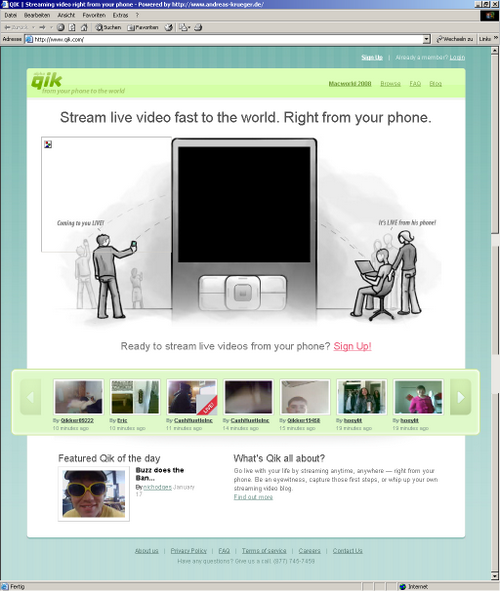
Saw some live coverage from the MacWorld earlier this week where ppl used this service to directly stream video from their phone to qik.com. Something like YouTube, but with the difference that everything is streamed live from the phone (Nokia N95) onto their servers. Meaning: you’ll need a decent broadband network connectivity for this to work fine.

4999cad66fd700600a8b663569bb4d61
(browser screenshot via browsershots.org)

Signed up for this service (which is still alpha) on tuesday evening and just received an invitation. Don’t know about 3G speed outside, but here @home with DSL 2048 kbit/s down & 192 kbit/s up maximum speed it’s just very charming. Haaiaa. Will need to test it again outside tomorrow in daylight and see how it is performing.

And yes, I am bit shy on camera. That’s why I haven’t really made use of seesmic so far (the “video twitter”). You may have seen it in action earlier last month when Robert Scoble blogged about it.

Why is it interesting? After all, I wouldnt want to put myself online. It’s interesting because a) it enables true LIVE coverage and b) memory space is limited on some phones, so with a service like this, ppl can just report until the battery is drained. As for the “live” part: I pressed the F5 key to refresh the user page right after I had stopped recording and there it was, my video. Dead simple.

Which phones are supported?
The latest Nokia range, imho those who are based on the S60v3 platform.

Citizen Media, here we come… muahahahaha!

(video isnt included at this time as i just can’t stand the way the “embed object” code is implemented in WP + my video plugin doesnt support qik so far..)

EDIT: Loic just twittered that Seesmic is now compatible with mobile phones via Shozu.com. Shozu! Has anyone tried it so far? Had it running on my mobile some month ago but it quickly drained the battery, also due to some autostart scripts that load when the phone boots (!) up. – I guess all these tools only make sense when your phone is within a 3G or better network and when everything is interconnected, i.e. feeds that pull content from your various multimedia resources online and aggregate them on your blog. Should be an interesting task for a WP plugin (hint, hint :-)….something that pulls content from your video & microblogging platforms and creates a blog post out of it. In short: what I would like to have is a smooth way to blog-on-the-go and have it appear on my own blog (and not somewhere on flickr, vox, seesmic, qik, YouTube, etc.). Possible? Maybe one day (soon).

EDIT 2: QIK works fine even via a normal (= slow) GPRS connection! Awesome. I will use it more often now.