Google AdSense

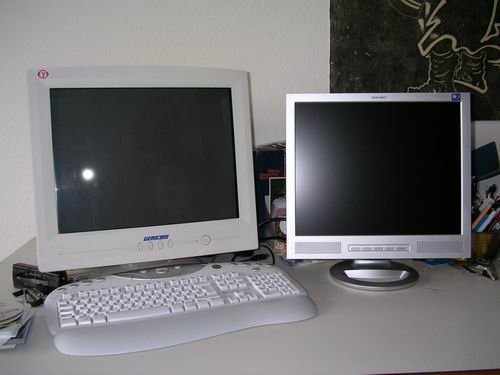
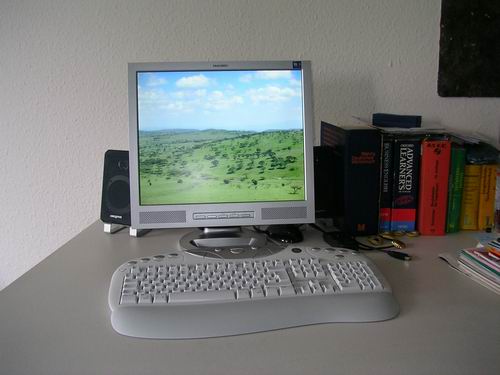
The sheer joy of working on a clear, bright, sharp and detailed new TFT flatscreen display instead of an old, blurry, huge, (though also relatively flat) CRT monitor (that heated up the room and blocked 1/3 of my door-turned-table) made me reconsider some minor changes on this blog and, in particular, the sidebar on the right side.

In other words: I’ve added mbecasense to my blog in form of Google’s AdSense programme. And of course I would like you to kindly take notice of that change so that I can soon afford the annual membership for Muthaiga Country Club will get a paycheck like Bankelele which will help me buy even more Tusker & mbuzi choma. But this article says “Don’t ask others to click on Google ads”. So, I never told you.

You can send me money, though. ^^

Since about 59% of my visitors still use Microsoft’s Internet Explorer (MSIE) as their standard browser, I’ve also added this “Get Firefox with Google Toolbar” ad which should encourage MSIE users to eventually switch to the better alternative.

Now, when we look at the results of the (relatively simpooool) javascript that generates the ads, we get something like this for each browser:

ga_safari.jpgga_opera9.jpgga_ff.jpgga_msiejpg.jpg
Safari // Opera 9 // Firefox 1.5 // MSIE 6.0

Ati?

So, why does that image thing only work with MSIE?
Another thing is that some links ARE indeed interesting despite of their advertising character. Being forced NOT to click on ads in my own blog (not for cheating but because I am attracted by their content!) makes me wonder…Google, please, how do you explain this to your paying customers?
The reason for implementing GoogleAdSense isn’t of course the paycheck only (which would require me to implement this much better, like Mental does on his blog / ~ in between the posts or even on single posts) but the interesting ad-content which will be associated with my website.
However, I think Google AdSense really makes sense if implemented wisely and is way much better than those nagging pop-ups we had back in the days as well as modern popunders, flashlayers, streaming ads, intertistials, splitscreens, superfx and so on… If this thing works out and Google doesn’t kick me out for any strange reasons, I will try to implement more ads in between the posts as my template provides enough room for those.

AOB: Talking of browsers, I just installed the Opera Mini™ 2.0 browser on my Nokia 6230 and…it works! 94kb of good software that ad real value to this gadget…
SANY8175.JPG

videre 2.0

Bibi TFT eventually arrived and has sent Mama CRT into aaaarrry (early) retirement :-)

videre 1.0
Grö�enänderungSANY8161.JPG
(left) Gericom CT1997PF 19″ CRT, 130 Watts power consumption (!), 5w/5w standby/active-off, 20.2kgs, really BIG, too dark for image editing (even with Gamma corrections, etc.), TCO’99…

videre 2.0
Grö�enänderungSANY8169.JPG

Yakumo 17 XPT 17″ TFT, 8ms, 500:1 contrast, speakers (lol), 4.0 kgs, 48w, 2w/2w standby/active-off, 3 years pick-up guarantee, TCO’03, EUR 139,- ….

And the most important reason for the change: my EYES! What a blessing now….

Kimendero’s nightmare? Googleardi, part 6

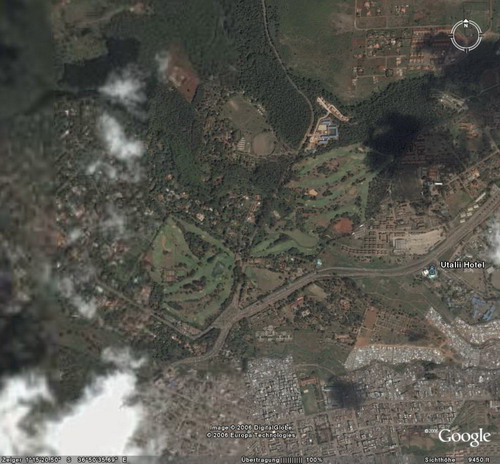
Earlier this week, Google released a new version of its earth viewer programme Google Earth – a stable BETA 4 which I just had to download and try out.
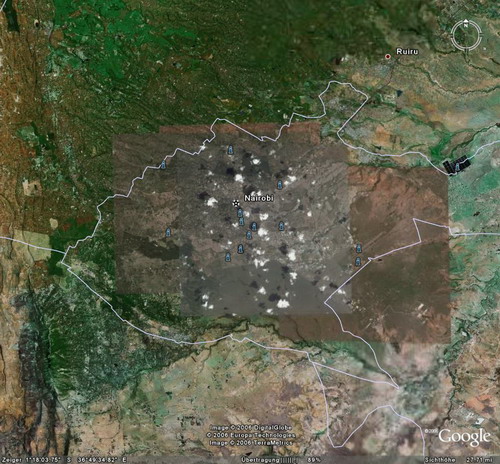
As far as I can tell, the new BETA looks promising, making navigation much easier and faster (!) – and of course with a new release, they also implemented some “new” maps/satellite images:

nairobi1.jpg
For downtown Nairobi, the guys running the image database added a CLOUDY satellite image – which is still better than what we had some time ago.

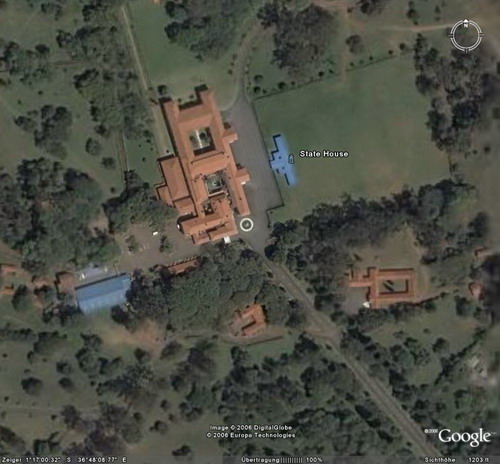
Now let’s have a look at Nairobi State House….

nairobi3.jpg

…sorry, this one of course :-)

nairobi2.jpg

Google Earth is also perfect for tracking down the various swimming pools all over Nairobi. Something that might come in handy while in Nairobi, in search for an open swimming pool. After all, not all pools are private (which of course reminds me of Mbuzimoja & me trying to find an open pool in NBO as late as 8pm – the only place open till 9pm is….THE GRAND REGENCY HOTEL, which charges Kshs. 1.000 /= pp….aterere…).

Acermania

Today was a good day.

I was stuck in an unusual traffic jam (hey, this place is quite rural) which made me miss out watching the opening game to the WorldCup but I managed to follow the game on the radio. You know, Juergen Klinsmann (coach of the German team) came in as a blessing way back in 1994 as it helped me to explain the proper pronunciation of my first name to local wanainchii [Jooo-ghan? Yiiiuuurrrgen]. Let’s see how far they’ll make it this time – I understand the Gaamaaan team still needs some improvement on defence, but compared to the 2002 team, I still think there’s some improvement. Or as Klinsmann put it: “Eminem puts it right…if you had one shot, or one opportunity….would you capture it or just let it slip?”. But then – I’m not such a Mzalendo to support the German team just because we share the same passport. What I’d like to see is a) good football with lots of emotions, fair play and action as well as b) Germany being a good, friendly, accomodating host to the games and it’s visitors. As for the rest: I am with this fellow blogger

Today was a good day because I eventually figured out what kind of notebook computer I shall save my money on. Purchase is planed for July/August this year, but still, knowing that there are a lot of interesting notebook models out there on the market, I needed to spend some time online searching for the perfect deal PLUS visiting shops and putting my hands on those machines.
The internet reveals a lot of information and customer blabla but it doesn’t give you the feeling, the actual touch, the haptic which is needed if you’re seriously buying a notebook. Ok, maybe if you go for those (older) IBM Thinkpads you’ll never need to worry about things like quality or the keyboard but I’ll won’t be able to afford those ones (sorry Steve), and the new Lenovo N100 series hasn’t yet convinced me. Also, for the same reason I could never settle for a DELL notebook as there’s no chance to actually see them in action (here in Germany) except for what they show online. I wonder how u decided for one nevertheless, Mzeecedric?

So I drove to this electronics supermarket and enjoyed the time ALONE in the shop – knowing that about 98% of the population would be spending the evening at home, heating their jiko for some nyama choma and preparing for the games…
After about one hour of a very detailed and fussy examination of the various notebook models they had on display (removing the battery, turning the notebooks up and down, checking the display and hinges, overall quality, keyboard + size of keys, etc.), the supermarket’s security guy approached me and told me NOT to dismantle anything but instead that I should be asking those (bored) salespersons around who’d be willing to assist me… (MEDIA MARKT, are you listening? Hello? I am was a potential customer…pffffff).

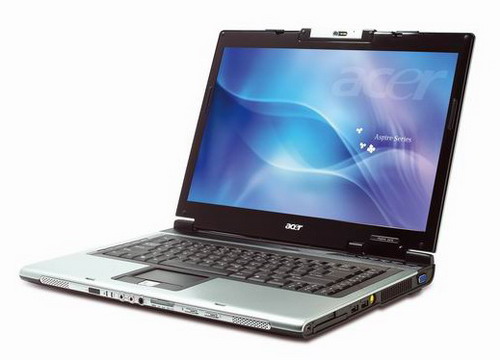
So the point is: I eventually settled for this machine – an ACER Aspire 5672 WLMi with the following specs:

  • Intel Core Duo T2300 (1.66 GHz, 667 MHz FSB, 2MB L2 cache)
  • 15.4″ WXGA CrystalBrite LCD with 16ms refresh rate
  • ATI Mobility Radeon X1400 128MB
  • 100GB 5400 RPM SATA hard drive
  • Slot-Load DVD super multi drive
  • 1GB DDR2 dual channel memory (@ 667 MHz!!)
  • 802.11 a/b/g wireless with singalup high efficiency antenna
  • Bluetooth 2.0+EDR
  • ExpressCard slot
  • 1,3MPx webcam
  • VGA + DVI-I out
  • 5 in 1 reader
  • decent keyboard (very important)
  • ~ 3kgs, battery runtime of ~2-3hrs

5672small.jpg
Other interesting models included in my search (so far) where: Acer Aspire 5652, Asus A6J/V series, Fujitsu-Siemens Pi 1536, HP nx6110, nx6230, nx8220, HP Pavillion dv5165, Samsung x20 series, Toshiba M50 series and the Lenovo N100 series.

The advantage with the 5762 is that it includes Bluetooth and a webcam (which can be turned 220° so you can actually take a video of the environment!) among a variety of interfaces that are normally only offered on more expensive notebooks.
However, customers of this relatively new model reported a loud dvd drive + weak battery run time but I think that’s only once you use the pre-installed WinXP with all those redundant little “extra tools” that will run in the background and take up RAM + battery power. Hence my only concern is the slot-in DVD drive which is too prone to dust but I’m sure it can be cleaned (while in Nairobi, I was desperately searching for Isopropyl alcohol which was said to be available – normally – but “just not this time”. Well, surgeon’s alcohol also works if you can live with that smell….).

Well, today was a good day because I not only managed to free my brain off this burning desire to settle on a certain notebook (you don’t have to be a Gadgetfreak to understand that feeling – just think of shoes and handbags and you might get the picture :-), but I also eventually realized that I am somehow stupid.
enterkey.jpg

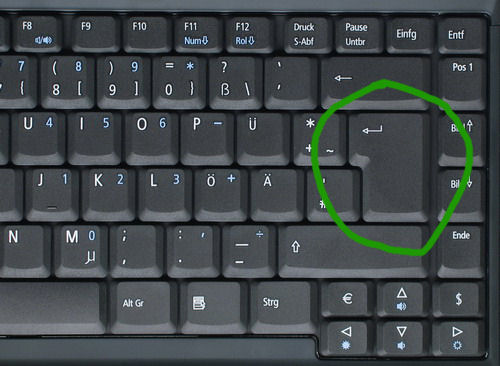
You know, one of my criteria aka “must haves” on a notebook (hey, coughing up 1.300,- EUR requires some wise decisions) included a big ENTER key. The last time I bought a notebook was in 1999 – and back then I just bought it (also an ACER, btw) because of that big ENTER key. Ok – that was one of the reasons…
So today I realized that – contrary to what is visible on that international product image from ACER – the German QWERTZ layout of the keyboard actually includes such a big ENTER key – YEAH! Which goes to show once again that the information online isn’t accurate enough and still requires some detailed inspections in shops.

Aterere…now I’ve made up my mind on this machine and unless YOU come up with another interesting, affordable (max 1.300,- EUR) alternative/suggestion, I’ll stick to this machine and make it become my main computer in future.

Btw, this is the sticker I had planned for the back cover. Customization – here you go!
Enjoy :-)

kompyuta.jpg
(my 5 minutes draft…)

AOB (edit): TOGO, are you N U T S??? There’s this once-every-4-years-chance to play for your country and all these guys can do is talk about money….what a shame!


DELLicious

Anyone remembers Irene’s old (refurbished) DELL Latitude C600 (750 MHz, 256 MB RAM, 20 GB HDD, 14,1″ TFT) laptop/notebook ?

dell0.jpg

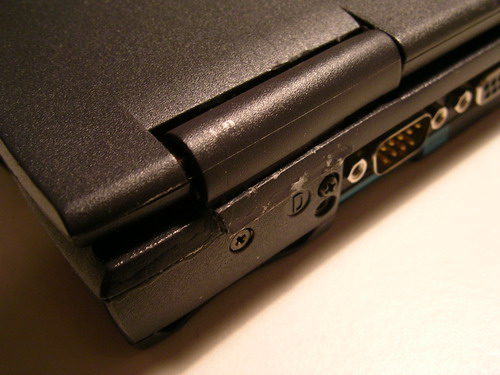
Well, one day it fell down and the hinge + cover broke at the right side – a problem a lot of notebooks have as parts like the hinges, their covers and the TFT display often brake on notebooks. As a consequence of this, spare parts for such problems are available on Ebay & Co. but require a little investment in terms of at least US-$ 30 and if the battery is also run down, it doesn’t make sense to invest more money in an older machine. In case you have no other (stationary) use for such an inmobile computer (print/file server, router, etc.), it is wiser to sell it as a broken item for those guys who are willing to refurbish it again or use the remaining parts to repair other notebooks.

Since Irene didn’t have any proper use for it, and since she didn’t have the time to sell it locally, she gave it to her mother who took it back to Kenya and from there I picked it up and took it with me to Germany. Imagine this notebook has travelled many many miles just to be repaired!

Hinges for DELL notebooks are expensive – I followed some auctions on Ebay and realized that I’d be too greedy to invest something like EUR 30,- ++ for a (2nd hand!!) hinge – a part which consists of poor aluminium and isn’t that big. The jua kali spirit in me suggested something different…

dell1.jpg

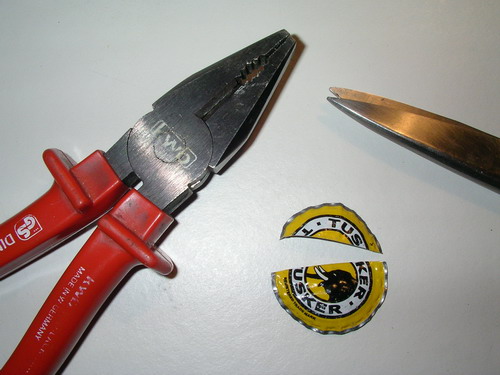
While chatting with Hash last night, I realized I could use a TUSKER bottle cap to repair that hinge.

dell2.jpg

The bottle cap of course proved to be too small – although I have to admit I was dying to see a TUSKER item being used for the reparation of the broken hinge. Well, maybe next time.

dell3.jpg

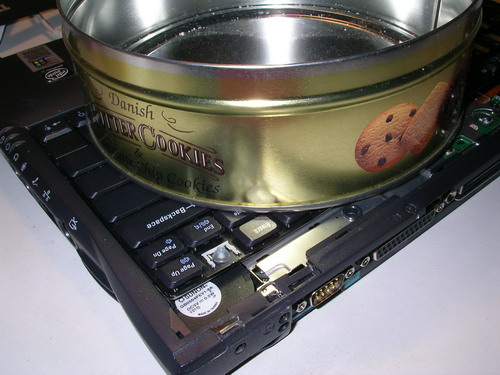
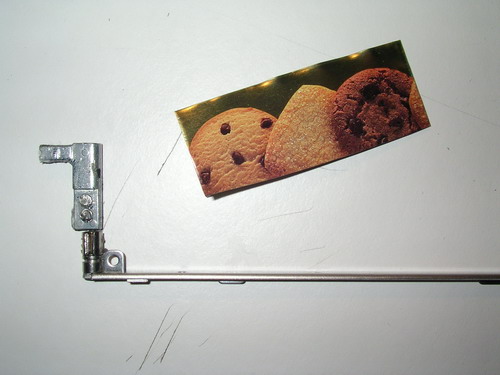
The next piece of (ma)bati I sighted in the kitchen was an old cookie box – for some ppl that’s just rubbish but for me it equals a source of clean, thin sheet metal that I could use for the repair.

dell4.jpg

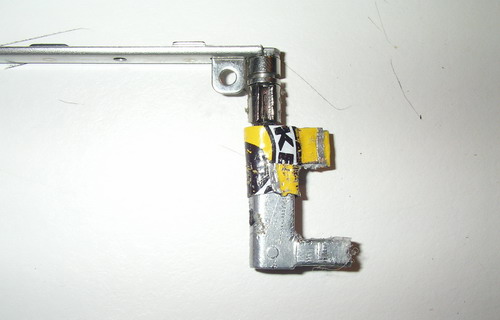
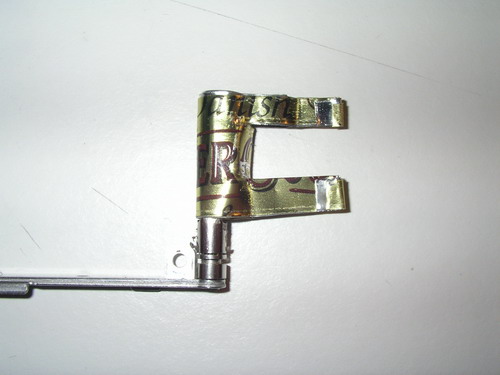
I cut out the desired size, double-layered it (to improve stability)….

dell5.jpg

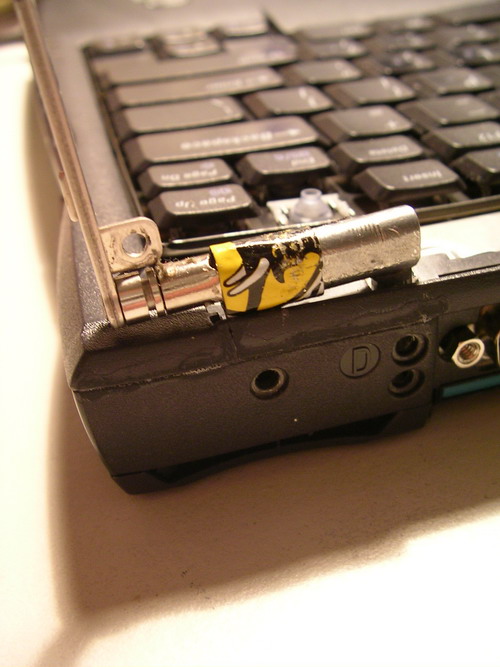
…and used flat pliers to mold it around the remaining parts of the hinge.

dell6.jpg

After some small adjustments, the “new” hinge just fit in perfectly well:

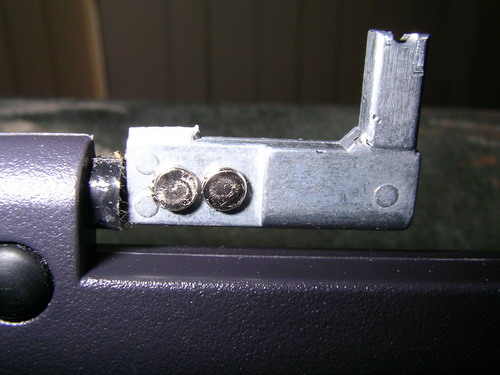
dell7.jpg

Two screws and some glue add to the stability…

dell8.jpg

It isn’t THAT strong of course, but compared to what it looked like before, it just works and that’s all I wanted to achieve.

dell9.jpg

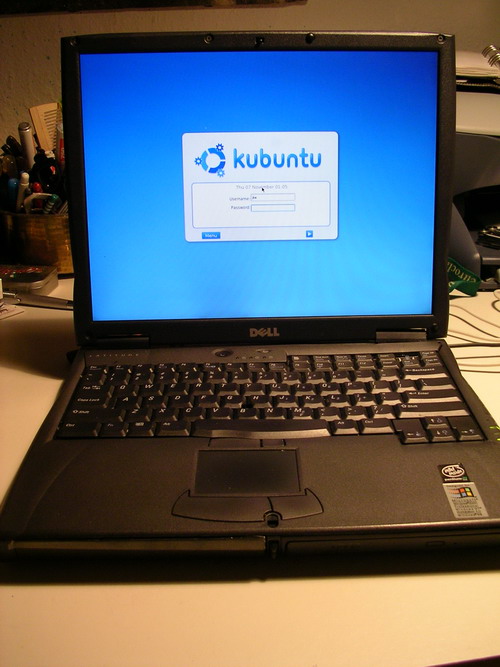
DELL Latitude C600 + Kubuntu. Perfect!

Now, anyone in need of a refurbished notebook? :-)

Simu holdaaaa

simu2.JPG

I was looking for a car holder / handsfree unit for use with mobile phones in a car. Something were you can put your mobile into once you enter the car to either have it placed somewhere near the radio or get it recharged. These rather passive holders aren’t necessarily specific to a certain phone model but instead just work with many phones. In short: a “mobile phone holder”. Just like a cup-holder, but for mobiles.

simu3.JPG

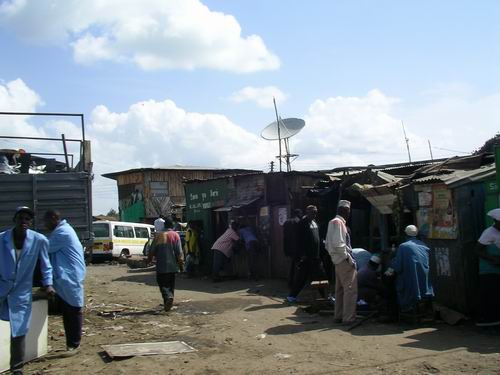
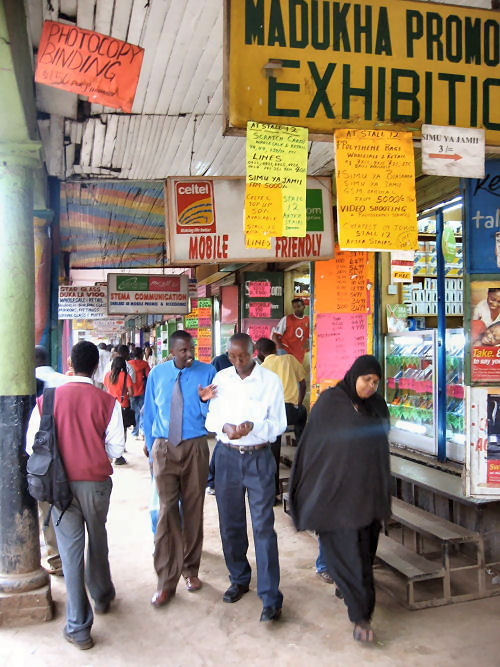
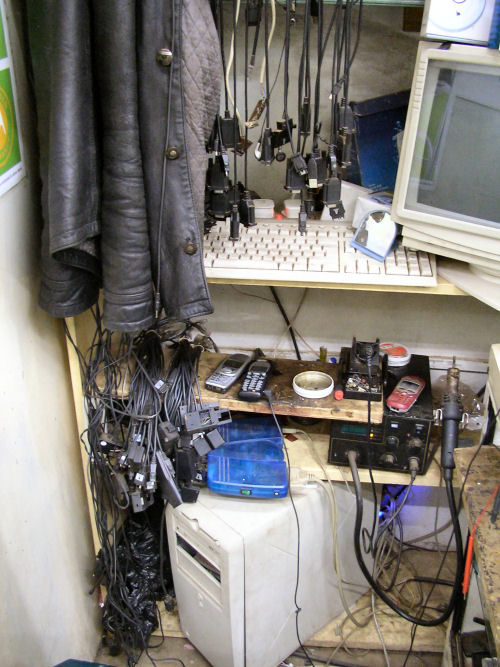
The booming telecommunications business with major cashcows like Safaricom attracted a lot of vendors in Nairobi who have specialized in mobile phone parts. While some are experts even in phone repairs (as pictured – using a hot air station to desolder the SMD pcbs and reflashing & unlocking the phone’s firmware using these long caboooools), others are just vendors who basically have no idea about technology and just think in terms of mbeca.

Many of the old shops on Moi Avenue & Co have been turned into dukas / small stalls – sometimes containing up to 30 stalls in one big house and the owners are often owning 5-6 of these stalls.

The sheer amount of shops selling the same mobile phone parts and maybe only differing in their pricing makes you think that there’s no business due to high competition, but nevertheless we were told some shops on the front row sell about 3-5 phones per day on average, leaving a profit of Kshs. 8.000/= per vendor – which is a lot for secondary school leavers with no further education. University Students also work there (I can already picture me renting one of these stalls for repairing phones & Co. :-).

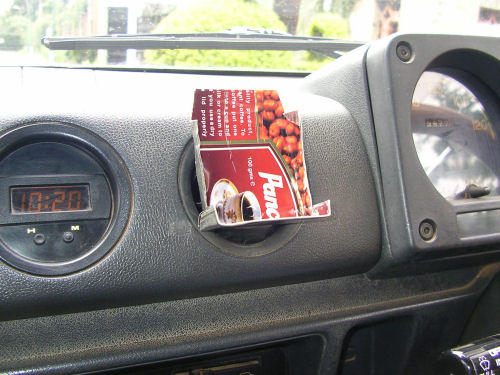
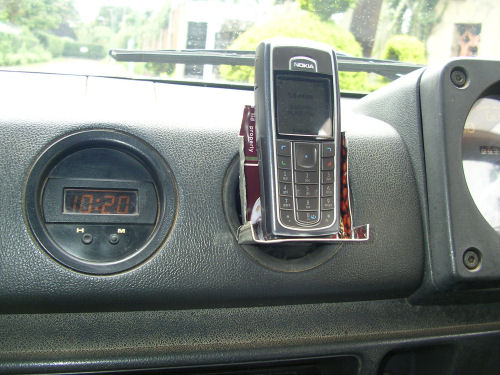
Coming back to my phone holder – I asked almost ALL of these vendors for the desired nini but they never had it EXCEPT for ONE vendor on Biashara Street – who btw also had a neat solution for double SIM card adapters. Since his phone holder included a jua kali a.k.a. 1998-styled handsfree unit which we don’t need (only the holder), there was nothing else but building my own mobile phone holder for use in a Suzuki Jimny (Samurai).

simuself1.jpg

simuself2.jpg

simuself3.JPG
(pls try to ignore the temporary white adhesive tape – which btw also makes the whole construction to be pothole-proof…)

“Look for solutions, not problems” (Dan Eldon)

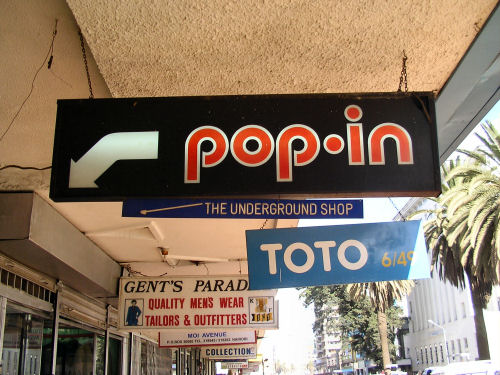
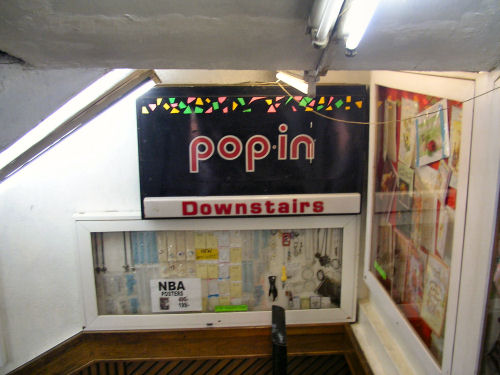
Pop-In

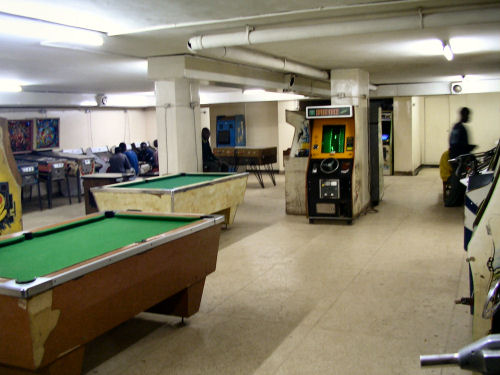
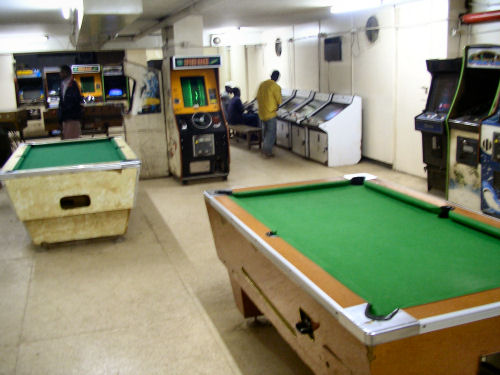
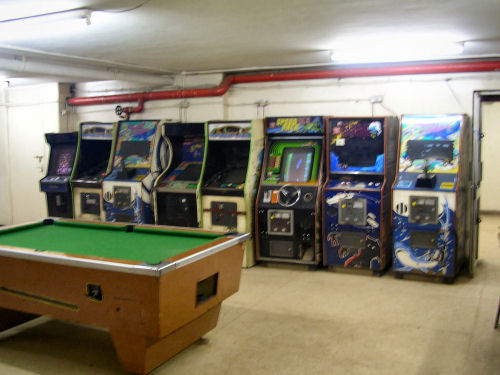
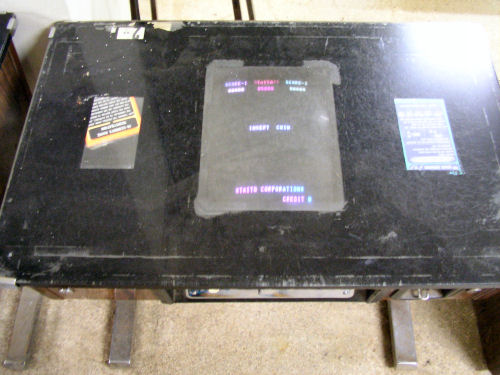
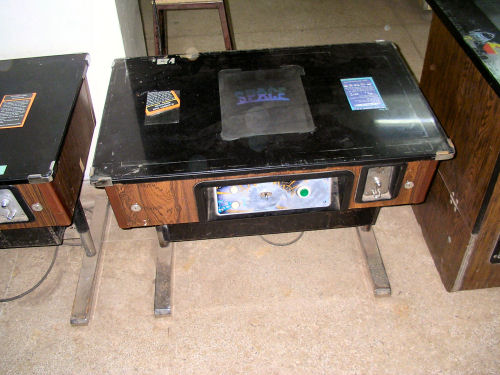
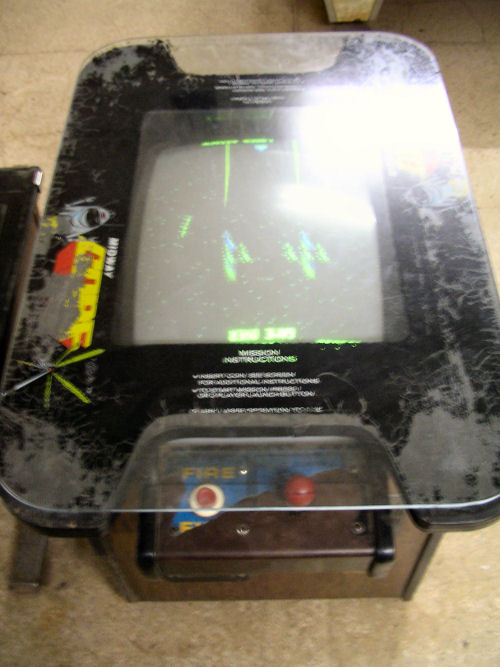
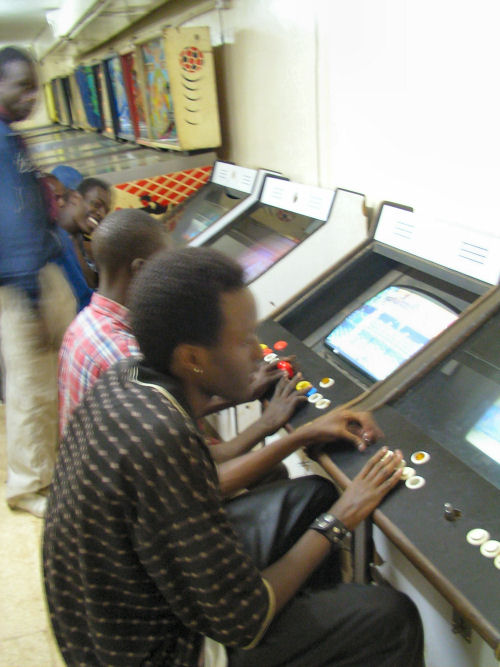
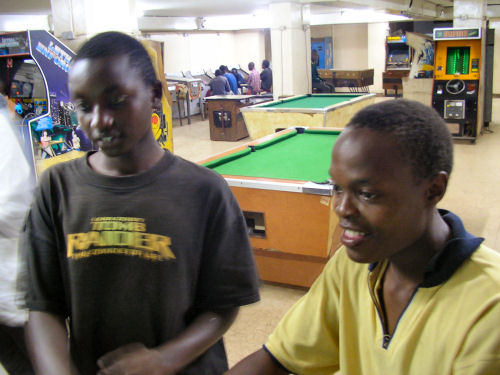
After entering Pop-In on Moi Avenue, Nairobi (Kenya), and asking the owner for kind permission to take pictures (“I like this place, the machines are sooo unique”….”ok, basi…”), I instantly realized why you, dear Steve, started doing “something with computers”. Thanks for that great tip to pay them a visit!

I consider this and other “amusement arcades” the incubator for our never-ending interest in anything IT….? :-)

Pop-In is one of those institutions that actually requires huge funding to buy, repair and preserve all these old machines that introduced us to the world of 1010010100101 & Co from their death somewhere in dusty downtown Nairobi…
popin1.JPG< />

popin2.JPGpopin3.JPG

popin4.JPG

popin5.JPG

popin6.JPG

popin7.JPG

popin8.JPG

popin9.JPG

popin10.JPG

popin12.JPG
the corner with “spare parts”.
popin15.JPG

Please excuse the blurry picture quality – I shot these pics without a flash and was so excited that I forgot about everything else! I’ll try to upload them on flickr in a higher resolution when I’m back on my (own!) computer…