bluu jino

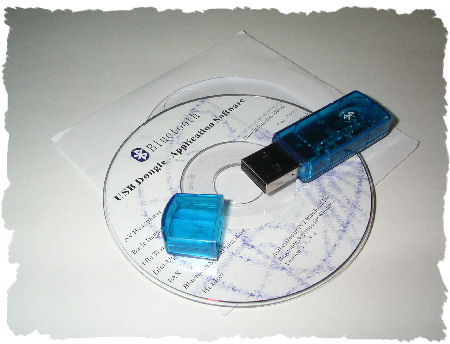
bluetoothdongle.jpg
I bought this Bluetooth USB dongle earlier this week, plugged it in this morning, installed the software and went online – via mobile. IT WORKS! IT ACTUALLY WORKS! Can you imagine?

No need for any dumb Nokia modem drivers, no huge software packages that need to be run on autostart, no buggy user interfaces – this little stick just works the way it is supposed to be working. Technology that makes me smile again :-)

Hat tip to my ndugu Mzeecedric for pointing me to the updated wp-shortstat plugin as well as to SlimStat – on which I’ll need to have a closer look once I’ve decided on my next wp-theme/template: Regulus 2, Fauna Beta 3, Sirius 1.0 or K2 Beta Two? The latter one comes with an awesome AJAX-powered live search among other goodies. I especially like K2, but understand that it will be difficult to implement my neat (Tusker-styled) Flickr-badge. Stay tuned!
Haraka haraka, haina baraka :-)

WAP 2.0

Remember the Wireless Application Protocol (WAP) for use with mobile phones (a.k.a "wait and pay")? I think I got my first wap-enabled phone – a Nokia 7110 – in the summer of 2000. This **** never really worked though, and besides, since the killer application was missing on the german market (except for MMS, which is based on WAP), I never really used it. Okay, maybe a few times, but that’s about it.*

The irony? After more than 5 years, I eventually found a way to make my humble blog accessible via WAP browsers using this neat plug-in.
Contrary to today’s modern XHTML browsers like the one in my Nokia 6230 (that displays the website just like a browser on your computer – including all the images and thus taking even more ages to load…and load…and load), the rather old-fashioned WAP browser based on WML is much faster. Images aren’t included and you get to see the written content only. Nice!

To access Kikuyumoja’s Realm via mobile phones, just point your mobile phone’s wap browser to the following URL:

https://kikuyumoja.com/wp-wap.php

Actually, it is supposed to be http://wap.uhuru.de for more convenience –  but this constellation of a subdomain forwarding to a specific php file somehow doesn’t seem to work the way I want it…aaarrghh! That is, the 1.2 WAP browser on my old Nokia 6310 doesn’t like it – this whole thing only works with WAP 2.0 browsers – which are capable of interpreting XHTML so except for the slimmer pages, nothing is gained…. ‘nways, you get the picture. Who’d be accessing my blog via WAP anyways, eh?

Once again, fascinating technology which could be so damn >tight< IF only we could have an affordable flatrate for surfing via WAP + content is interesting enough.
That Wapedia link* – Wikipedia via WAP – sure is.

webbed world

kenyamoto.jpg
The positive side effect to note down after yesterday’s raid on a newspaper and a tv station in Kenya is that all these informal networks like the (kenyan) blogosphere and even multimedia websites like Kenyamoto (as pictured above) kept on supplying the world with the required information the so-called leaders try to hide from the public. And who knows what was shared through short messages (SMS) on mobile phone networks and e-mails…
All these networks can not be switched off by intimidating the media; and it makes me realize that people ARE connected – both at home and abroad. What a great potential!

simumania, part 2

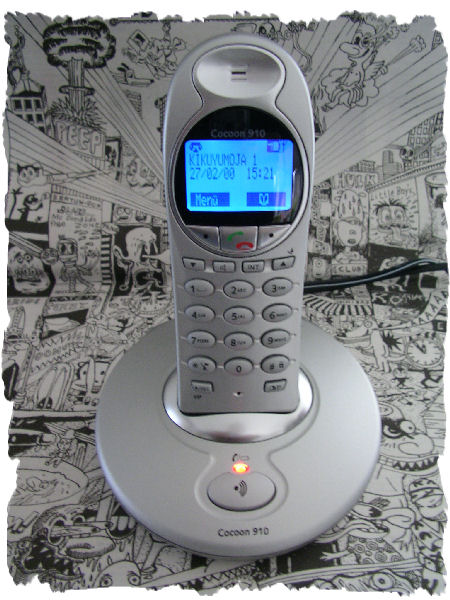
Talking about my cordless phone the other day – a friend of mine called me this morning from his almost broken cordless phone and, since I ‘ve been longing for a new phone for some months now, I came up with this idea to sell him my old cordless phone and buy a better one.
One with Calling Line Identification Presentation (CLIP) and a hands-free/speakerphone function. Everything else isn’t really required but nice to have…

simunew.jpg
So why would I blog on a normal cordless phone? Becooooos I am showing off there’s this special story that I’d almost forgotten until last Saturday when Mbuzimoja, her bro and me were strolling through Munich and came across one of those old Panasonic phones. You know, those huge white analogue ones with telescopic antennas that used to sell for ~9.000/= Kshs. back in those days (in the mid-90s).

Back in those days (~1988) when cordless phones came up in Europe, I always wanted to have one which, of course, I just couldn’t afford. Then, in 1992 or 1993, some local dealers in Nairobi had the first mobile phones for sale – most of them being those Panasonic ones with that huge telescopic antenna. One dealer, though, had this brand new Sanyo phone, operating at 46/49 MHz and the moment I saw it, I wanted to have it. Dearly. It took me half a year and selling some beloved items to eventually get my hands on this cordless phone.
Ndugu Mathias, remember how you used to laugh about this? Nairobi with its faulty telephone network – who really needed a cordless phone when most of the time, damage due to damp killed the line? Mimi! :-)

And nowadays, the market is overcrowded with digtial cordless phones with prices starting as low as 30,- EUR and Nairobians are meanwhile getting used to mobile phones (GSM). What’s next? A blackberry-styled network that will bring the internet to remote places such as Wajir? Stay tuned!

p.s.: the downside on this simu? Hakuna answering machine – but hey, why do I keep have this roommate who picks up the phone for me? ^^

the 4,- EUR joy

Just like Amélie, it’s the small things in life that make me happy.
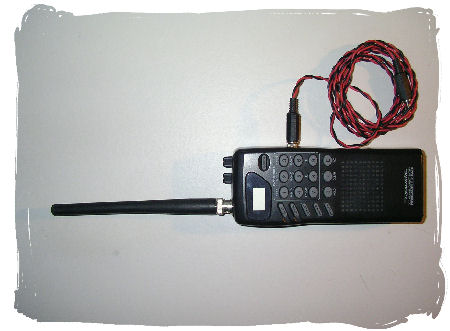
In this case, though, a rather capitalistic approach, good luck on eBay and an investment of 4,- EUR that helped me strike a deal in form of a "broken" Realistic PRO-27 radioscanner.
pro_1.JPG
Not so broken, as it turned out. This radioscanner from 1995 has an inconvenient and rather complicated user interface (small display) and since it didn’t come with any user manual (and ppl out there desperately looking for one), I managed to get a copy via mods.dk.
Et voilà, upon going through the manual, connecting it to a decent active antenna (the mandatory part on radioscanners – they are useless without any proper antenna) and typing in promising frequencies that actually show results (up here in this rural area, there isn’t much activity on VHF), this resurrected gadgetimoja turned out to be a good deal and working just fine. Haiiyaaa!
pro_2.JPG
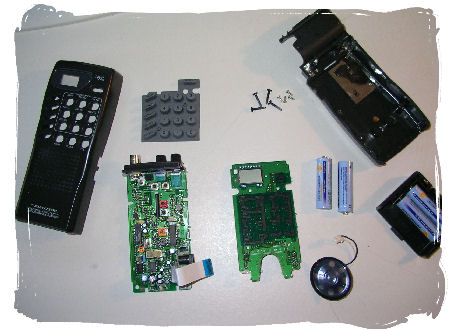
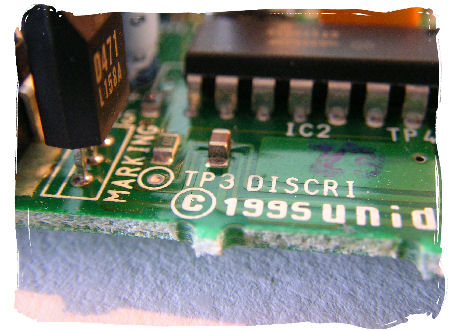
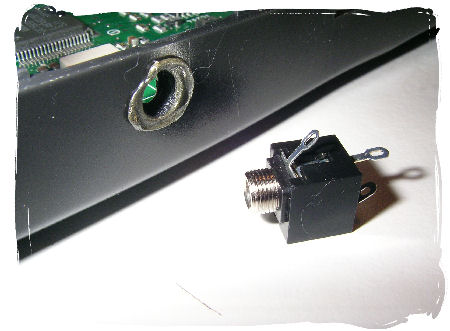
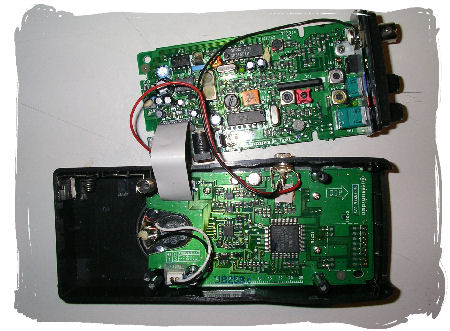
Now, since I had already opened it (hey, 4 screws – who couldn’t resist?), I saw some clear indicators on the PCB: whereas it normally takes some further testing or checking various internet resources for the discriminator output (signal), this board already came with "testing point" (TP) indicators printed right on the board. All it takes from that point is to solder a wire to that TP, another one to the base (metal frame, etc), fit in a 3,5" headphone socket and there you go – your new discriminator* output is ready. Simple as that.
pro_3.JPG
pro_4.jpg
pro_5.jpg
BECOOOOOOOOOOOS: a normal, simple, yet modern radioscanner sells for about 60,- EURs and those with discriminator output cost an extra 20,- EUR…
pro_6.JPG
Sasa, I might try to sell this thing again and hopefully make a killing with it! Who knows how much money I’ll still have to save for Mbuzimoja’s dowry? :-)

*Monitoring digital modes using FSK or PSK (e.g. POCSAG, FLEX, ERMES and AIS) gives the best result if you use the unfiltered audio from your scanner. You can find that signal at the discriminator of your scanner. A discriminator is the ‘heart’ of an FM-receiver. After the discriminator, audio filters and amplifiers follow that may heavily distort a digital signal. If you want to read along with digital (FSK and PSK) systems seriously, a discriminator output is absolutely prerogative.
Usually, scanners are not equipped with a discriminator output as a standard. You need to ‘operate’ on your scanner to make the discriminator signal available to the outside world…(source)

Quid novi ex…, part 2

Half a year ago, I blogged on plug-ins that enable video chat via Skype.
Today, I’ve eventually downloaded a new Skype 2.0something release that includes video chat: "Smile, wave or say hello to anyone, anywhere in the world with free one-to-one video conversations".

Ok, I see……yani, does anyone of you out there (Hello World! :-) actually use this videonimoja feature?

being mobile

urlaub.jpgWhat are the three major issues I have with mobile computing?

1. access to a network (inet et al)

2. access to static data

3. consistent power supply


Lady Mbuzimoja, this particular friend of mine who has her own notebook but not her own blog ;-), today reminded me of getting my own notebook. I think she said that because she wants me to be a bit more mobile….

Some years ago, when the term "technomad" wasn’t yet defined, I had an Acer 513T notebook (ok, laptop) which helped me get going. Upon settling here, I realized I wouldn’t need it anymore and sold it to another friend. Although I actually enjoy being without a notebook/mp3 player/pda/etc (owning = obligation to use it!) and my Nokia 6230 (mp3!) being enough in terms of mobile devices for the moment, I am often tempted to look out for really kewl gadgetimojas that I should get one day.
On the other hand – didn’t I just mention that there are some issues with mobile computing that irritated me a lot in the past? Hmmm…

1. Let’s pretend an all-area-access to networks is being worked on at the moment – be it Cable, DSL, WLAN, GSM/GPRS, packet radio, etc – all these access technologies are being deployed and since you can already send an sms from the top of Mt. Longonot in Kenya to almost any other GSM network in the world – why worry? In fact, here’s a nice how-to-install guide for your own (rural) wireless network.

2. The networks being deployed and flash/portable memory becoming more and more available, users aren’t forced to keep all their programs and static data on their computer’s HDD. Instead, computers are regarded as workstations only and if they brake, we just exchange them without the loss of any data.
Operating systems like Windows or Ubuntu are pre-installed and the hassle of adjusting this and that is gone. Just switch it on and use it. Who knows? Maybe in a few years time, computers will have fixed OS like PDAs have or our good old homecomputers had in the 1980s.

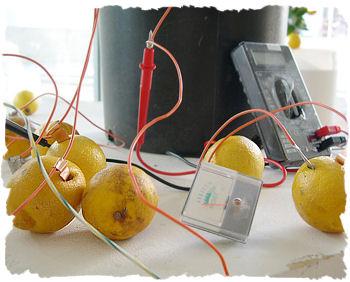
3. Despite of all sexy advantages a mobile gadget has, I think the quest for consistent and almost infinite power supplies is still the biggest problem. Of course, there will always often be a socket nearby where you can recharge the batteries inside (be it at home, in the train, on safari via solar energy or a local duka that normally recharges mobile phones using an ordinary car battery, etc.) – BUT! – what if we could find a way to recharge the batteries / generate electrical energy the moment we need it? I think that’s still the most interesting part of it. Generating the energy when we need it – thus changing battery design.
Users are human beings and we have lots of kinetic and thermal energy that goes wasted. What if we could find a way to turn that into electrical energy? Imagine, there are even ways of using the heat of waste water to generate energy!
I say: if we can produce energy out of human excreta (not only Biogas!), there sure has to be an intelligent way to propel our mobile gadgets with such alternative energy as well.
lemons.jpg

Many of you out there have already been talking about Negroponte’s $100 Laptop for kids and I guess that’s also because of the useful and integrated wind-up mechanism that generates enough power to run this machine without connecting it to any electrical socket. To my mind that’s THE best part of it – despite the aim of introducing the computer world to future generations.
How about if we could have a wind-up handle / dynamo system ready for our current laptops/pdas/mp3 players/mobile phones (thx Bwana Baylis:-) ? I know there are some available already, but the market isn’t really that huge. And this quest for alternative energy resources isn’t just about buying solar panels or fixing dynamos to our gadgets – it’s about getting electrical power instantly – whenever we need it.
I think batteries should only be used as capacitors but not as primary energy resources. However, any interim solution like solar/dynamo is better than being dependent on power sockets.

Meanwhile, Lady Mbuzimoja’s notebook has a dead battery which needs to be replaced. She can’t get that battery in Kenya and instead of going for a sustainable and intelligent power supply, she has to settle with just another Li-On battery.
How come manufacturers are putting so much effort in making all those mobile gadgets more and more powerful while at the same time ignoring to answer questions on sustainable, reliable and intelligent power supply systems?

Kashionimoja

TR1.JPGTR2.JPG
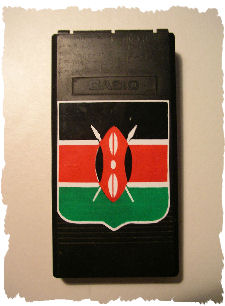
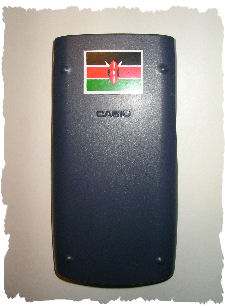
my old CASIO fx-85v calculator

Isn’t it ironic?
Just when my studies are coming to an end and most arithmetic exams already written, I eventually realized today that I could actually go and substitute my beloved and almost rotten CASIO fx-85v calculator with a new one. Mind you – I’ve already reserved a few stickers for the cover of any new calculator – so this flag & car stuff will remain (Kiku’s style :-).
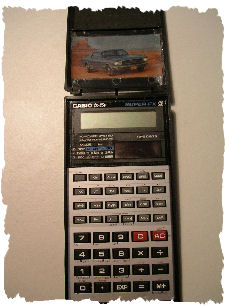
I think I got this one in 1992, and according to what other people use, this machinimoja here is old kabisa. SO OLD! The keys have a very soft, almost spongy pressure point, there’s no 2nd DOT display to double-check the last entry and some functions are missing.

Being a bit perfectionist on all buy-technology-matters, there’s this gap between the decision to buy a new calculator and the actual decision on which model it should be. I think I will go for this CASIO FX991MS CASIO FX-991ES scientific calculator, however, I just can’t decide…
Any recommendations? Thx!

Update:

TR3.jpgTR4.JPG
my new CASIO fx-991ES calculator

The difference between Mama fx-85v and Kijana fx-991ES is like driving my old Tembomoja compared to a 2006 Lexus GS. Both will get you from A to B, but using the new one is just much more convenient.