data cabools

What’s a data cable?
A data cable is a special cable that connects your mobile phone/PDA with a computer. Sometimes these are included (e.g. Motorola L6 & L7, Nokia 6233, 6280), but most of the time you’ll have to buy them extra.

Why would I need it?

  • a) to up-/download user data on your phone (phonebook, pictures, videos, music, etc.)
  • b) to synchronise it with your PIM (Outlook, Thunderbird, etc.)
  • c) to access the internet via GPRS/EDGE

Are there any alternatives?

Yes. Bluetooth (BT) and InfraRed (IR). BT and IR of course require transceivers on both sides – a BT dongle or an iR diode. Both are often included on notebooks, and stand alone interfaces cost around Ksh. 1600 (BT) to 1800 (IR) downtown..
While IR tends to very slow among other disadvantages (line of sight with computer) and BT only being available with better phones & notebooks, it makes sense to invest some mbeca into a good data cable.

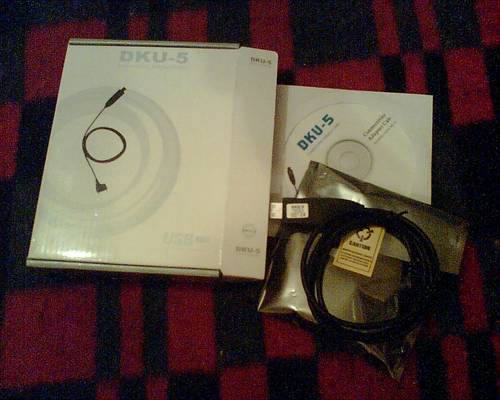
As I mentioned earlier, data cables for recent Nokia phones are relatively hard to come by in Kenya. These cables – copies from China (original ones cost around 5500 Ksh!! @ Nokia Shops) – are available, only: not every mobile phone accessory seller knows about them, and/or could inform you about the proper use of such special cables along with the equivalent software that normally comes with most better phones. It took me some time to ask for a reliable source, and I’ve meanwhile found it with J.J’s GSM Technology / Soft Link Mobiles in Uganda Hse, Kenyatta Ave., 4th Floor.

06-11012

I’ve been flashing phones myself some time ago (updating the internal software on GSM phones, unlocking them, etc. – a bit tricky with Nokia phones due to Nokias strange policies), and repairing a phone mostly requires you to have a patient hand, a TORX 5 / 6 scredriver, some methylated spirit + ear-buds for cleaning (Isopropyl alcohol is even better) and some spare parts which are available with retailers.

The folks @ JJ’s/SoftLink really know their job, and also know to attract customers despite their workshop being on 4th floor. I went there on Sato and inquired about the Nokia data cables required to work with my colleague’s Nokia 6020s. We need such cables to connect their phones with the computers => internet via GPRS.

For the first time in Kenya, I had the feeling that my “interlocutor” (what a word, ama?) knew what I was talking about – you know, shop talk on geekstuff. Great! They of course managed to organize the required amout of cables and we tested them one by one. Now, these cables are cheap copies from China. However, sometimes they work – and the CD that came with them even included lots of interesting software (which you’ll normally find @ Yahoo Groups! or other places on the net). I bought one cable that I’ve taken to Embu for testing and if everything is fine, we’ll buy even more.

06-11010

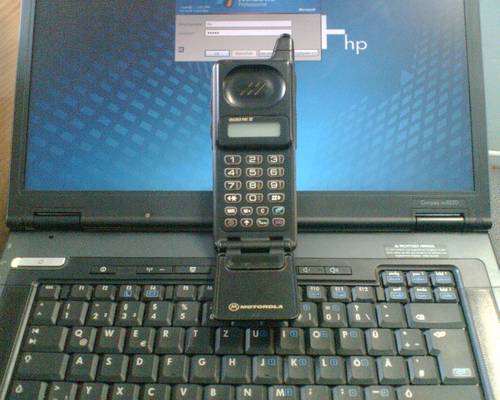
One of the customers had brought this ancient brick along for repair – a Motorola Micro Tac II. Sijui if this ETACS or GSM, but it doesn’t have a slot for SIM cards – the content of the SIM is directly loaded into the phone. I think it’s from 1989 or so, maybe also 1992. Anyways, ooooold stuff. I told him to clean it, give it to a jamaa in the US or UK and have it sold on Ebay.

How to…..use GPRS in Kenya

Ok, let’s do some viral marketing for GPRS in Kenya…

The other day, I already blogged on GPRS (General Packet Radio Service) in Kenya and complained about Safaricom’s strange GPRS settings which were previously sent to my mobile phone. Of course I am way too complicated from time to time, hence the service never worked – for me – as I had put way too many settings. The whole installation process is quite simple though, hence this little “how to…” round-up on GPRS with Safaricom in Kenya as I also see lots of traffic on my blog on the Safaricom + GPRS issue.

First, let’s look at the current situation and conditions that made me look for an alternative way of accessing the internet: I am currently working at a GoK institution and helping these guys on some technical issues among scientific work (~ working on my final thesis in the water sector). Today we tried to upload an annual report to the HQ in Nairobi which was about 4 MB in size. Knowing that their Winnet webmail service (local ISP) only allows attachments of max. 2 MB, we spilt the file into two pieces and zipped both.

Now, going online from the rural side isn’t that easy – the traditional modem speed depends on the quality of the line (=> attenuation) and with our modern V.90 modem we only got speeds of 16,2 kBit/s – which is nothing of course. A frustrating speed and connection, as you’re charged about 7 Ksh. / minute – and being online doesn’t mean that you’re actually downloading or uploading anything. It just says you’re connected.

In Nairobi, there are many interesting and working alternatives. The cheapest and best alternative of course is the wireless lan at Nairobi’s Java Houses (+ really good food!) and, if you are lucky enough, an AccessKenya.com line via WLAN in your office. Then there are these upcoming CDMA (~UMTS) local networks which currently only work in Nbo and Telekom’s DSL line, although the latter ones raised their prices in August this year and also DSL isn’t as speedy as it used to be. Someone at the Telekom office in Westlands told me that their prices might change again in near future, but until then….you’ll still need a fixed telephone line, and I understand that those are still hard to come by in Kenya due to differenct technical, historical and vandalism reasons.

Which leaves us with the GSM mobile phones that many in Kenya have these days. The best part about these phones – I think – is the prepaid system: a perfect way for the service providers to receive money in advance and no one needs to worry about unpaid receipts. It will only be a matter of time until other sectors jump on the same wagon (Kenya power, water sector, etc).

Now, in order to go online with your phone, all you need is a wap browser which enables you to surf special (wap-enabled) websites. WAP is a rather old service which never really succeeded except for Japan (i-mode) where lots of services are based on this technology (but they are using a different frequency range and technology anyways so let’s ignore them).

In order to actually SURF the internet like my blog or google, yahoo, the BBC news, etc – you’ll need a GSM mobile phone with a (X)HTML enabled browser. Many modern telephones already have this. You can actually access your email by using the browser (“internet”) in your phone. A very convenient way of going online from whereever you are in Kenya with network coverage. GPRS isn’t really needed for this service, but it helps limiting the costs (as you are charged by MB downloaded) + increasing the speed (?).

And then of course there is GPRS for use with computers. This is the sexy part of it. As far as I am informed, there are three different ways of connecting phones to a computer:

a) via InfraRed
b) via Data Cables
c) via Bluetooth

If you are an owner/user of a notebook/laptop computer and also have Bluetooth and a phone that has this Bluetooth functionality, use this! It’s the most convenient way of putting it – also because there can be a distance of up to 10m (sometimes also more) between the computer and the phone. So if the network coverage is bad, just put your phone next to the window (where the receiption is better) and access it via Bluetooth from your computer.

InfraRed is very slow although it works (direct line of sight needed to hook it up with the computer) and then of course there are data cables.
You see, there are some GPRS enabled phones – but without any means to connect a data cable (unless you remove the battery, like on the older Nokia 6510, 8210 series, etc.). And data cables are sometimes hard to come by. Not every shop in Nbo (and of course not even Wachira Electronics here in Embu) sell those cables, even not those posh Nokia Shops @ Sarit Centre & Village Market. Or? Update: the data cable @ Nokia Sarit Centre costs Ksh 5500/=! A fake chinese copy goes for around 1200 /=….
Anyways. if you’re about to buy a new phone, make sure it comes with a data cable. Such a cable is also needed for downloading data content from the phone (pictuers, videos, etc.). I remember that e.g. Sony Ericsson phones already come with such a cable. I personally have all three connection types – the cable (from Ebay Germany @ EUR 4,-), an infrared port on my notebook and Bluetooth on both sides. Bluetooth USB dongles sell for about 10,- EUR in Europe – sijui about their prices here Update: Ksh. 1600/= in downtown, presumably less @ Mitsumi in Parklands. But then, the very popular Nokia 6020 phone here in Kenya does not have Bluetooth, so a cable is the best choice (called “CA-42” (serial) or “DKU-5” (serial-to-USB) for this particular Nokia 6020 – the one for 6230(i) is called “DKU-2” (100% pure USB)).
Another alternative are these data cards (pc cards/pcmcia) that offer GPRS/EDGE technology and are used on laptop computers.
Ok, enough about the technical background, let’s start with the actual service:

In order to use GPRS with Safaricom, all you have to do (as a prepaid customer!!!) is to send an empty short message (SMS) to 4777. That’s it!
They will then shortly afterwards send you a confirmation sms and the settings for your GPRS capable (!) phone which you will be asked to save and activate using the following PIN: “1234“. Simple as that.

If the settings can’t be received for whatever reason, but your phone is able to do GPRS, then try the following settings for Safaricom:

APN: safaricom
username: saf
password: data

(hope i didn’t forget anything here..) UPDATE: kindly check the comments for more details, thx!

PLEASE NOTE:

  • GPRS does not always work but it is more reliable and much faster than the traditional modem dial-up. And forget about Safaricom’s 951 dial-up as well as Celtel’s 350 dial-up. Those dial-up services are limited to 9,6 kbit/s, which is even worse than the modem thing via fixed lines. GPRS is instant access and once you click the button on your computer (e.g. Nokia PC Suite “connect to the internet”), you are online within 3 seconds and the connection is stable enough. Stable also means that sometimes it might be fast, and then the next moment it may become very slow. This is NORMAL with GPRS as bundled time slots are not always available.
  • Costs, and that’s the best part about it, are ~ 10 Ksh (???) per MB ==> you are billed by the amount of data you have been loading (up & down!), and not the amount of time you have been online. THIS is why I am so fascinated by it. You only pay for the things you really wanted (except of course for junk mail in your mailbox, but that’s another story). A fair deal, I think.
  • Connection speed is about 53,6 kBit/s MAXIUM depending on the network (quality) and the amount of users sharing the network at the same time.
  • Safaricom’s mobile office website isn’t really THAT comprehensive as it doesn’t reveal many details on the service itself except for the usual marketing blabla. Someone @ the Daily Nation recently compiled an article on GPRS and all he/she did was copying the phrases from Safaricom’s online FAQ. These gals & guys @ SC really need to polish their website a bit.
  • The more users are online and sharing one base station, the slower is the connection. Hence, telling others about this great service has the downside that it might eventually lower the speed. But in the meantime, let’s enjoy this service as a hassle-free, easy and convenient way to access the internet. And remember, I am typing these lines from my room here in Embu. GPRS + Inernet on your laptop might of course also work from within a National Park if there’s enought network coverage. Now that’s cool, ama?
  • Skype works! And chatting via your prefered IM like YahooIM, MSN, ICQ, etc. doesn’t consume much bandwidth = low costs. Chat for 3hrs and only pay 30 – 50 bob. Now compare that with an internet/cyber café!

@Safaricom: how about some air time for this free-promo? My number is +254723436609 – Asante sana! :-)

p.s.: remember, I’ll work for bandwidth :-)

Ati? Safaricom? What’s this and this? Cooooooooooooooooooooooool. Really. M-Pesa? Like Hawala? Now THAT’s even more important than stable inet access. M-Banking is the next big thing.
@Mzeecedric: pole, I know it’s a long text although access is so simple. I just wanted to write down a few things that had been up in my mind. I so often meet ppl who spend a lot of money on fancy phones (~ going crazy for that video function for whatever dumb reason although they can’t even download the content from their phones) and then all they actually need is to access some things online and/or do online banking.

some things still only cost 10 bob…

…like these mikebe I came across while shopping for my furnitures:

06-10i-016

06-10i-017

06-10i-018

06-10i-020

The beauty of living upcountry is that you see things which have almost vanished from Nairobi. And everyone here keeps on telling me how much they prefer Embu (read: “the rural life”) to the chaos in Nairobi. True! Remember what it takes to get from A to B in Nbo? And here I won’t even need a car. Nice.

I think I should stay here.

And with this GPRS thingy now which enables me to even blog, surf, chat and email for hours there’s no need to worry. In fact, now with Safaricom and Celtel offering GPRS services on their networks, one can actually take the notebook out on Safari and Skype from the National Park (yesss, VOIP over GPRS, it works!).

p.s.: the upside of living next to a night club is that you fall asleep to Franco Luambo Makiadi, Les Wanjika, Daudi Kabaka, etc…smooth :-)

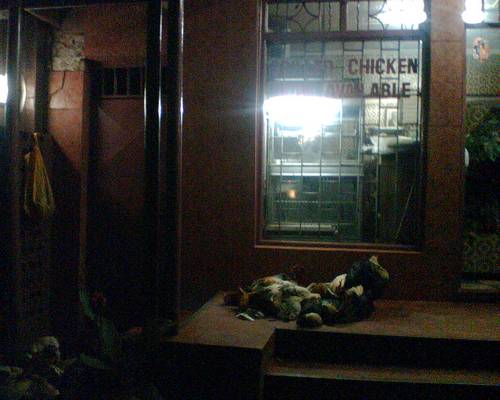
grilled chicken now available

My colleague called me from Kakamega and told me to go online and download a new binary file for the software we are currently using (the programmer compiled a new binary and had it sent to us – 1,3 MB, which is a lot for the average modem connection).

So I went out at 8 p.m., in the search of a decent inet/cybercafé for kesho asubuhi that would enable such a download. I think they were already closed by that time as I couldn’t find any and also some descriptions aren’t that reliable (“somewhere there down the road behind this building” (waving his hand into that direction). Somewhere can be anywhere.

“Mori turi te salutant” is what I first thought upon catching this scene with my cam:

06-10h-008

The bad news: these poor little (fat) kukus were sitting in front of “Morning Glory Hotel” here in Embu, with their feet tied together and awaiting their death “Furahiday” morning.

“Don’t you have any mercy with me?”, I asked the nearby waiter.

Waiter: “Me? Nooo..you see, they can already see their friends being grilled in the oven so they know what will happpen. We will cut their throats tomorrow morning.”

No wonder the place is called Morning Glory…

The good news: Safaricom GPRS works perfectly well. I just made the mistake of using a mixup of sent & own settings so it never worked. But then I thought about deleting all settings and trying it again with a clean installation et voil? : GPRS in Embu, the mobile phone connected via Bluetooth, everything at full speed and no need to look at the clock as the rates are charged per MB downloaded. It really works! Amazing….

rural internet

Holadiho! I was just abooool to read my email via the phone’s internal wap browser (Nokia 6230i). Right here in Embu, Kenya. Now that’s cool.

Next task will be to find a decent internet café. In the meantime I am dreaming of free WLAN networks/hotspots all over the country.

Speaking of Productivity issues: I spent about 5 hrs last Sunday morning moving from one inet café to the next just to download my emails and trying to blog some stuff. At around 4 pm, I was so pissed that my blogdesk uploading tool didn’t work (due to inet connection issues) and that I had actually wasted the best part of the day on such a dumb task. Am I stupid? I guess so…and all of that while still in NAIROBI!

So….Nairobi or Embu, going online works as long as you stick to your mobile phone. As soon as you dial Safaricom’s #951, the trouble starts as you’re charged per minute while nothing happens. Being online doesn’t imply that one can be productive (~ downloading informations). THAT’s a real pain. Who wants to pay for a service that doesn’t work the way it is supposed to be?

KJT Datsun

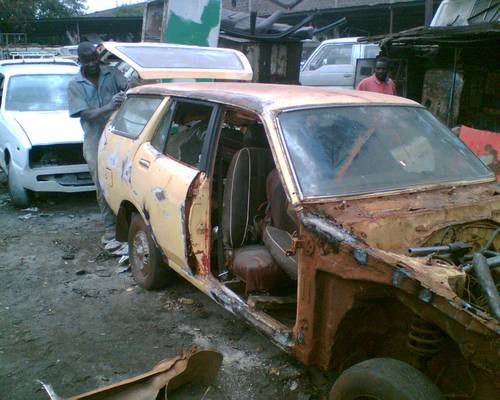
While working on the Suzuki, I came across this KJT (~ 1976?) Datsun station wagon which was completely worn out.

06-10d-020

The owner of the car told me that it had been involved in an accident and was parked under a tree at a local police station for some time. He wants to invest the sum of 20.000 Kshs to have it repaired and then intends to sell it for 120.000 Kshs. The bench was covered with exterior spare parts…

SANY9095
“Yes, the motor, no problem – when I put a battery here, it just takes one kick and it can start.” – “Aterere….”

SANY9094´

“Come back on Tuesday”, the owner told me, “…and you’ll see this car like new.”

Yeah, sure…. (==> KENYA believe it??! :-)

jua kali ²

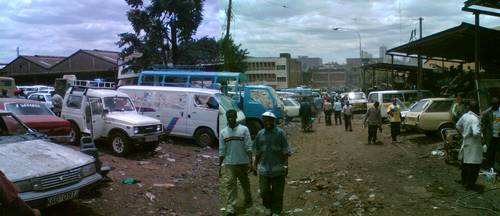
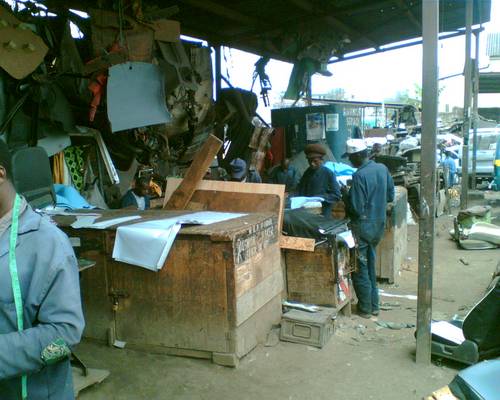
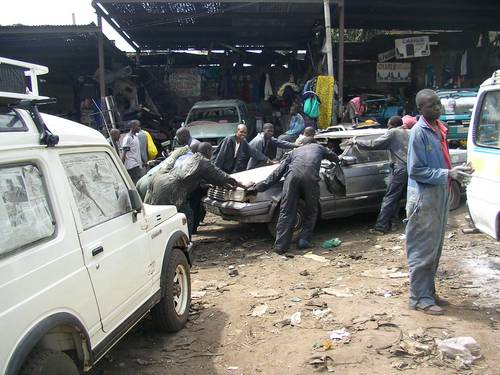
Somewhere downtown Nairobi there is a place called ” Kaburi” on Quarry Road. Muslim cemeteries have given the place it’s name – and just like dead bodies, the area also accomodates jua kali workshops – auto/car garages that turn dead car chassis into saleable items of desire. In other words: if you have a broken car and need it to be fixed fast, cheap and efficiently: THIS is the place. I think it’s also the CHEAPEST place in Kenya.

I was told they have a turnover of about a million Kshs. every day – remember: everyone of the guys working there needs to pocket about 500/= Kshs. per day (on average) in order “to buy lunch”. The basic principles of this business are that a) work is done fast and b) the place regulates itself (hakuna City Council supervision). Anyone who dares to mess with customers will be thrown out the compound. Strict rules for a self-regulating business. Hard, but fair.

panorama
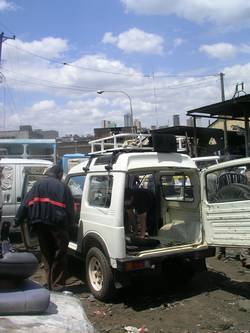
The “operating room” (note NBO’s skyline in the background)

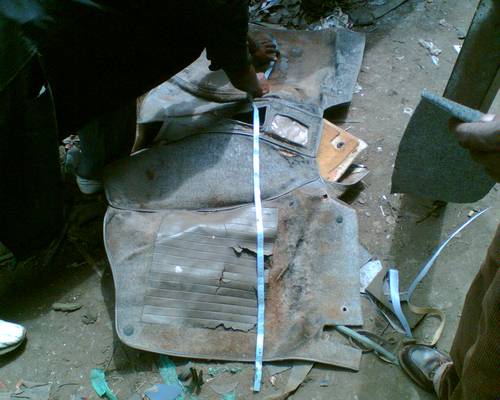
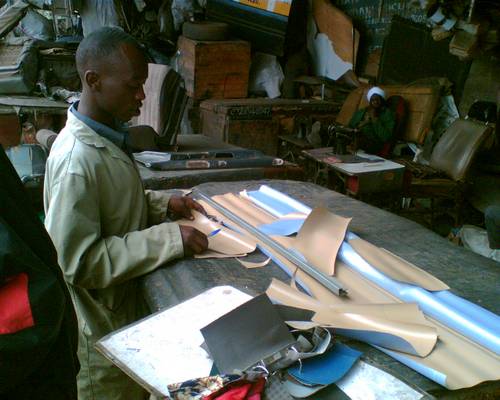
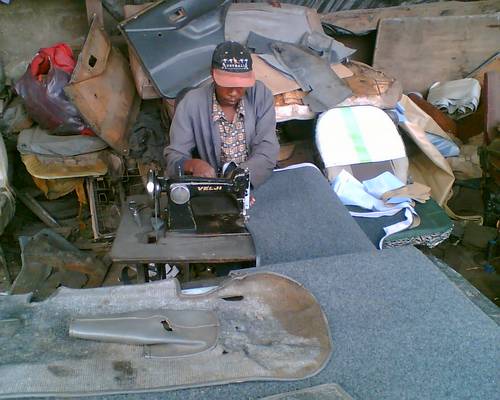
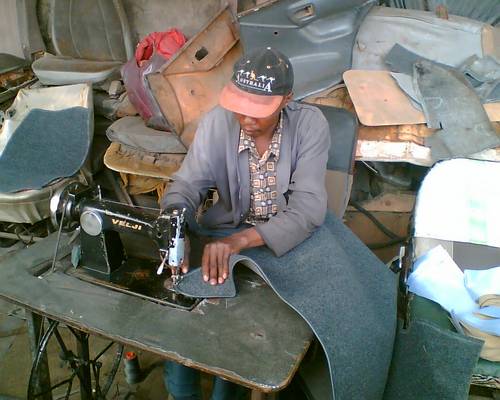
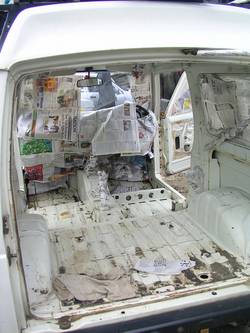
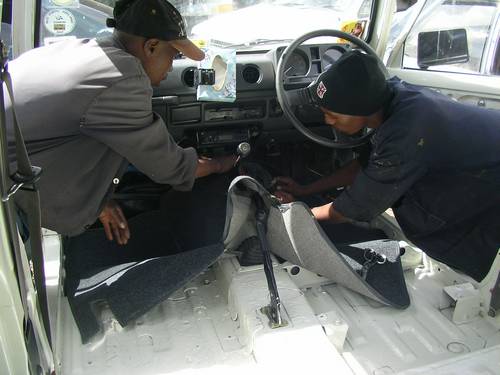
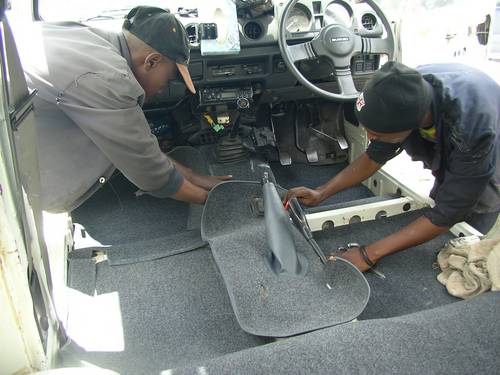
Our 1986 Suzuki SierraJX (“Hey, my friend, how much for you car? Me I want to buy…” – ppl love these small 4WD cars) needed a refurbishment and when we got it some time ago, I had removed the old carpets inside which were just too dirty. Our dear friend Peter showed us the way to the place and also helped to negotiate the prices. Since I had already removed the old carpets, making news ones by using the patterns was a relatively simple job for the experienced fundis. After choosing the desired material (really thick but stilll flexible carpet for 800 Kshs./m), they rushed away to buy everything needed and after that immediately started working. Anyone who says things in Kenya are slow should pay these guys a visit.

06-10d-012

carpet2
taking measurements…

carpet3
A matatu had ordered a new interior…

carpet4

carpet5

carpet6

1,2,3….done!

While waiting for the carpets to be finished, other guys (of course) approached us and offered their services. “My friend” (the typical mzungu approach), “you need licence plates duplicating? For front and back licence plate me I just charge you…..uhmm….500 Kshs. ..and I will make them straight and recolour them, even with reflecting colour, and put something around them and make them look nice. Look, yours are worn out…” – “Yeah, well, but you see: mine can still work – isn’t it? Even I could only give you 50 bob per plate…” – “Oh, but please, my friend, help me to buy lunch….” – “Oh, I think maybe next time but thx anyways…”

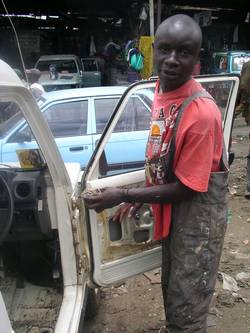
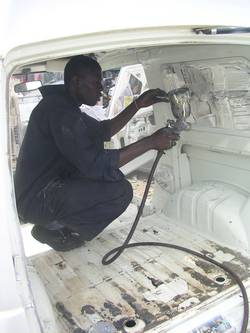
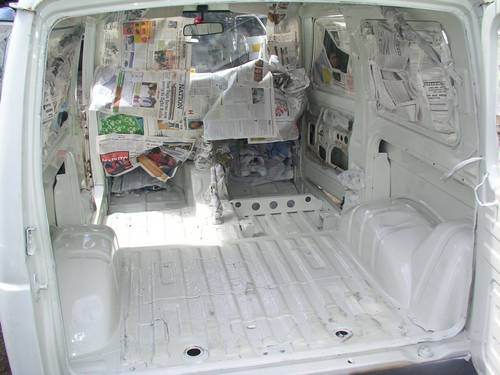
One of these guys actually managed to persuade us to have the car repainted from the inside. We urgently wanted to have this done, actually also from the outside – the car needs a major “beautification programme” – but time was running out and money is always limited so we just went for the inside repaint job. Pull out a 1.000 Kshs. and these guys will actually dismantle the interior of your car, clean it (more or less), respray it (= > hire a painter for that particular job!) and put everything back into place. Unfortunately, these guys weren’t as fast as the carpet dudes – whereas the carpets were done within 2 hours (!), the guy responsible for the repainting job just talked in Agwambo-style and gave commands to his colleague who was supposed to do the job. Since we also had other appointments on this very special saturday :-), I put on my own overall and pulled out the screwdrivers and spanners. Imagine a foreigner somewhere in Nairobi’s River Road area jua kali workshops in an overall who actually works on a car whereas the Kenyan customers just stand next to their cars and give commands to the fundis. There’s always a way to make fun of yourself. But so what…

car1SANY9101

SANY9086SANY9077
Yess….sloooooooow work :-)

SANY9088
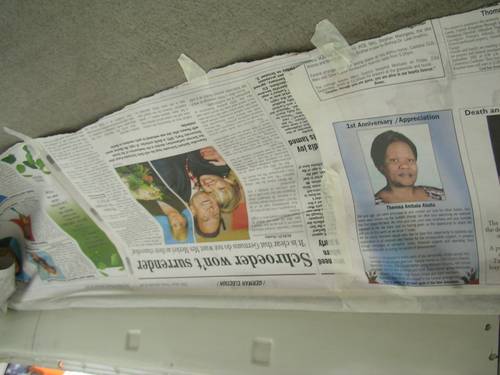
Look! Even (Germany’s Ex-Chancellor) G.Schröder witnessed the beautification process! :-)

SANY9100
Harambee! Some cars are just moved from A to B to C and back to A….

SANY9103SANY9104
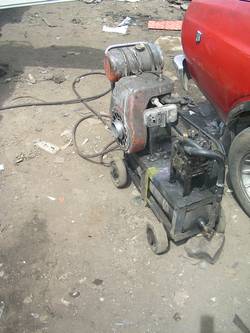
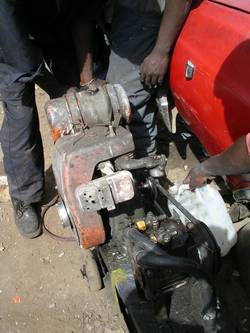
Compressors such as this one (left) are used for repainting jobs – these guys are specialised.

SANY9108SANY9110

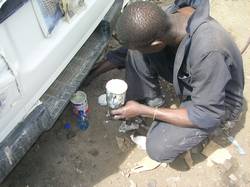
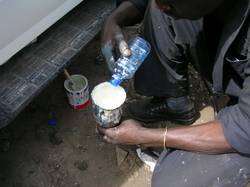
mixing the colour…

SANY9113 SANY9123

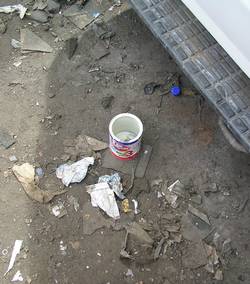
After finishing his job, he carefully made sure that not a single drop of petrol was left inside the (rented) compressor motor’s tank – but forgot the empty (metal) paint container. He just left it there – I SO much hate this attitude of disposing waste just like that. There’s no concept. Our industrialized world is nothing but a huge landfill….aaaaargh!

SANY9114

Sawasawa, ama? After 20 minutes of drying, the carpets came…

SANY9120

SANY9084

Fixing the carpet….

We arrived at 10:30 am and left the place at ~ 03:30 pm. Not bad for a start. And I know we’ll be back for more…

SANY9081

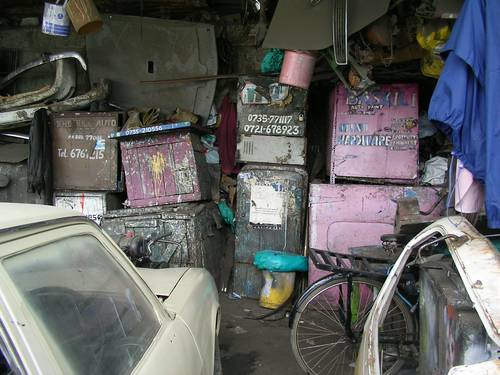
These are lockers as used by the (older) fundis. The’ve put their mobile phone numbers on them so that they can be reached in any case. The mobile phone industry has opened up so many different opportunities in Kenya…an interesting development, I think.

AOB:

06-10e-003
Who’s this DJ @ Club Soundd? Horriboool mixture sato nite… the place is nice though. Also home to Kwani? open mic sessions…and no nasty cigarette smoke!! :-)

virtual pc & usb toolbox

Some time ago, my dear friend Mr. Burns advised me to install an english operating system (OS) like WinXP on my notebook so that I will have less problems explaining things on it whenever I’d need it for a presentation in an english speaking environment.

Being the typical Geek 1.0, I was first irritated by the idea of installing yet another OS on my beloved machine and didn’t want to spoil the MS-dominated bootsector and other vital parts of my german WinXP version that could be affected by another OS.
And then, again, I keep on forgetting about the two virtual pc environments that have come up in the past and that I and many others have written about. For those who need to know – well, you most prolly already know this, but for the computer beginners, let me just explain this: there is a secure, hassle-free way to have more than one operating system runing on your computer. But why would you want that?

The average Windows user out there installs a few programmes for testing, dislikes them and decides to de-install them again. The deinstallation process though does not cover ALL parts of the previous installations and “forgets” some additional files that are left on the harddisk for eternity (~ until your next installation of Windows). And there are many user-utilities that have no other purpose than cleaning up your messed up installation of Windows and/or lost entries in the Windows-registry (where, as the name suggests, all programmes are registered for use with the operating system). You end up getting a messed up Windows that needs to be re-installed / repaired / etc.. And all this just because you wanted to test this or that small tool you urgently needed to rip-music cds, flash mobile phones, draw a picture in CAD or maybe because you were testing diverse media players that each come with their own setup-installation-routine.

Or in other words: most beginners need to take time to understand which programmes they want to use on their Windows OS and will have a collection of programmes they are going to install after a clean installation of windows.

The solution is to use so-called virtual machines – which are nothing else but virtual environments right on your existing operating system that create a single file into which a whole operating system can be loaded / installed.

Let’s say you want to try out a Linux distribution like the popular Kubuntu 6.06 and already figured you wouldn’t want this to run from a so-called Live CD (= boots from the CD without any installation). Neither are you willing to screw your existing Windows bootsector by installing a Linux Loader tool that gives you the option which OS to start during the boot-up process. And although there’s always a way for the experienced user to solve such problems, what we are looking for are simple, fast and free solutions. After all, all you wanted to do is (safely) testing a piece of software….
Instead, you might be interested in creating a so-called virtual machine. Something that gives you access to a full Linux environment AT THE SAME TIME while you are using Windows XP without restarting/rebooting your computer.

And as I’ve mentioned earlier, there are two choices for that: the MS Virtual PC and VMWare.

The MS Virtual PC (demo) is a free download from MS that enables you to set up a virtual environment on your existing Windows OS. After installation, you are guided through a set up process and open a new virtual pc. A window pops up and you get a black screen, a virtual pc booting a virtual BIOS. From this point onwards, you can install either another MS operating system, or even load a virtual ISO (image file) to install a Linux distribution. Basically anthing that you would also install on your computer from that level.
VMWare offers an alternative for the more professional user – it is able to handle processes in a different way and has much more options. VMWare offers a player (VMWare player) that is able to “play” pre-installed virtual machines (operating systems and aplliances) which can be downloaded from the Virtual Machine Center for free!

And as much as I love the VMWare player, the MS Virtual PC software seems to be adequate enough for my purposes as it provides an english OS at the click of a button. Simple as that! :-)

—–

The other day, I blogged about tools that start right from your very own USB memory stick.

You don’t need to be in a developing country to experience what it means to have restricted access to your own computer. Let’s say you are a traveller and would like to check your e-mail from an internet café somewhere on this planet. You’re lucky you’ve found a free seat and have already gotten over the fact that the guys running the café are ripping you off with the amount you pay per minute surfing. Aaargh….yahoo/hotmail/gmail/etc – the webmailer takes ages to load and opening a single page is a pain. Advertisment banners load first (unless you’re using a prof. webmailer) and you end up paying extra money just for reading and answering your mail. Remember: you’re paying for the amount of time you’re online.

Now, in a country like Kenya, not everyone has his/her own computer. Even less ppl have access to the internet – but USB memory sticks are for sale at a reasonable price. The idea is to make use of USB memory sticks other than just storing personal data. Applications that are installed onto the USB stick and run from it. I know there are already some models out there that come shipped with pre-installed applications, but instead of focusing on the software only, I would still like to point out the benefit you get while using software installed on your memory stick instead of using the browser the internet café offers:

  • You are using your own software and can personalize the browser and settings. Speaking of bookmarks – here’s your perfect way of storing bookmarks that will stay where you’ve put them.
  • You can download your email by using an email client such a Thunderbird. More than that, you can edit emails offline and mark them for transmission once you’re back online. Imagine downloading them in an internet café and editing them somewhere else at at friend’s place (who does not have a modem/inet). Downloading online and editing offline takes less time than reading and answering them online with the fear of log-outs from your fav. webmailer due to inactivity / while writing longer mails. Also, it’s much cheaper this way.
  • Modern Web 2.0 technologies are nice as they offer online services which were previously only available offline (word processing, spreadsheet, image editing, etc.). However, these services are only available online – and since you are paying for the amount of time spent online – you’re better of using offline applications. The internet café does not offer such tools? Don’t worry – they are on your memory stick.

Now, as not every user is aware of these possibilities, I can imagine a few smart hawkers on Nairobi’s Moi Avenue & Co that have compiled application packages and are willing to upload them onto USB memory sticks for some bob. And for those who want to do this on their own, here a few useful links to software compilations and recommendations:

Portableapps; list @ Snapfiles; Wikipedia listing; another Wiki; Essential USB Memory Drive Projects; list @ Combobulate; no-install.com; portable USB software; portable USB software 2; portable freeware; list of USB applications; Winpenpack.com; portable freeware 2

Hope this helps!