The One Laptop Per Child (OLPC) initiative – yeah, “nice” – but let’s look at reality and at what we can / what we’ve already done in the past: inheriting a used, older computer to a member of the extended family – I call it the One Laptop Per Family initiative :-)
Be it in Europe, Africa or the US – in most cases we (we as in “the computer guys”) aren’t always around so what we’ll often do is giving them a Windows XP machine with basic software – hoping that they’ll be responsible enough not to click on any strange e-mail attachments. But then, malware may even enter a healthy system through swapable media drives, such as USB flash memory sticks. With a growing popularity of these memory drives, a system is quickly infected and delays productivity or even renders it useless. But what can we do instead?
A year ago, I gave my old desktop computer to my mum and left her with that WinXP installation. She was a complete computer newbie back then and I knew that she would also attend some computer training courses where they would teach her how to write an MS Office Word document, handle MS Excel or even just write an email, using MS Outlook (Express).
Knowing that I wouldn’t be able to help her when I am not around, I initially had some doubts about this setup and asked myself if I shouldnt have gone for a Linux distro instead – also since she was completely new to computers. Why Linux? Well, it’s much more secure and I wouldnt have to worry about any malware infecting the system.
Earlier last week, I’d paid her a visit and repaired the computer – reinstalling Windows XP because I didn’t have enough time teaching her how to use Linux (Ubuntu/Freespire with an XPDE desktop ) instead and setting it up to work with all external devices.
And this is exactely where the problem is: what kind of operating system (OS) would / will / have YOU installed on those machines you’ve left with your loved ones? Yes?
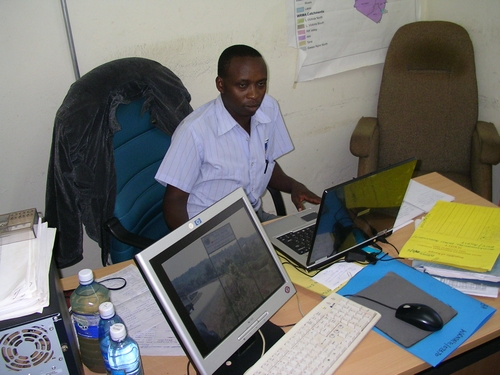
Zakayo @ work in his office (hey, you’ve just been blogged, dude :-)
Take my colleague Abdoulaye, for instance. He stays in Paris, France, works as a consultant in Frankfurt during the week and made the tragic mistake of buying a desktop-laptop three years ago. “Desktop-laptop”? Well, it’s an Asus Z8100 which comes with the same parts as a desktop computer, including the battery-eating cpu, a very loud fan, a horrible battery life and heavy weight. You wouldnt want to carry this machine around with you. Alas, this is exactly what he has done in the past. So we are in the process of getting him a better machine @ smaller size and made up plans how to set up his Asus Z8100 for use with his parents in (The) Senegal .
So there you are: an older computer at your hands that will be given to the extended family back home and the quest for a better operating system which *just* works.
With (a french version of) WinXP, we’ll sure find enough guys back home who’ll provide assistance in case of emergency and it will also be possible to connect a mobile phone to the computer (= inet access) with PC Suites that are available online from Nokia, Sony Ericsson and so on.
But then – there SURE will be someone unintentionally infecting the machine with malware and/or or things happening that will quickly kill productivity on this machine. The alternative?
The alternative could be a free and open (alternative) operating system – such as Ubuntu – but it lacks this out-of-box-experience to support a mobile phone and/or provide instant internet access. Also, it will be harder to find some local assistance in case of problems.
You see, there are currently many different Linux distros out there that all do a nice job of providing an interesting alternative – but which one of them provides this out-of-the-box-experience so that any average dude or dudette out there may just download a fresh copy, burn it to a CD, take an older computer, install it and give it to his/her family back home?
Something that will automatically setup a mobile phone to the machine (given that mobile phones / GPRS modems often are the only reliable way of accessing the inet in rural or peri-urban areas – provided that the area is covered with a wireless/gsm network); something that will automatically support most common desktop printers; something that will just work and provide a maximum connectivity and security even during power failures (no unstable file systems, that is).
This is why I think that initiatives like Ubuntu and or the general promotion of Free Open Source Software (FOSS) are much more important than giving out dedicated hardware to users because it’s the software that makes the difference, not hardware. And yes, the OLPC initiative is also nice + my understanding is that it was also developed to create some reverse-engineering spirit with the kids. But then – it’s still an investment whereby we – as end users – could just as well hand out normal hardware with an alternative OS. Think of your old laptop from 1999 and a copy of Edubuntu …
So…if YOU know of any free and open operating system that provides this flexibility and “Luser” -compatibility, pls feel free to drop a comment here so that we can all benefit. Thank you! :-)